

The Assistant
Every case has its own Assistant tab scoped to that case. Alongside it, Assistant in the main sidebar is not tied to any one family: it can be pointed at a single case, at your whole firm, or asked without any case in mind at all.
What it can see
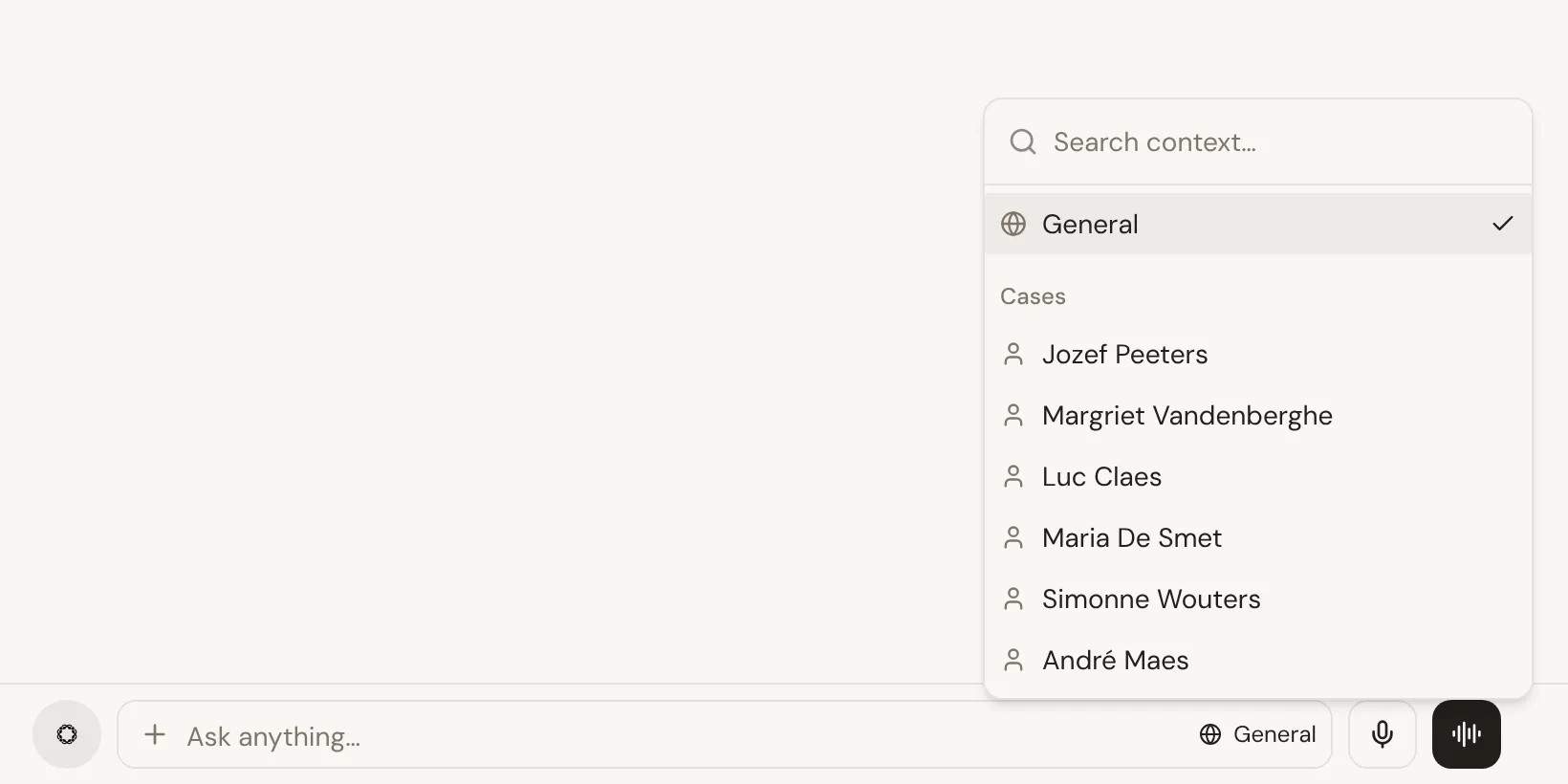
Section titled “What it can see”Each conversation with the Assistant has a context, shown next to the message box, and you can change it at any time:
- General, for anything about your funeral home: questions across all your cases, your team and your workload, or nothing case-related at all. New conversations start here.
- A specific case, when you want it reasoning about one family only.
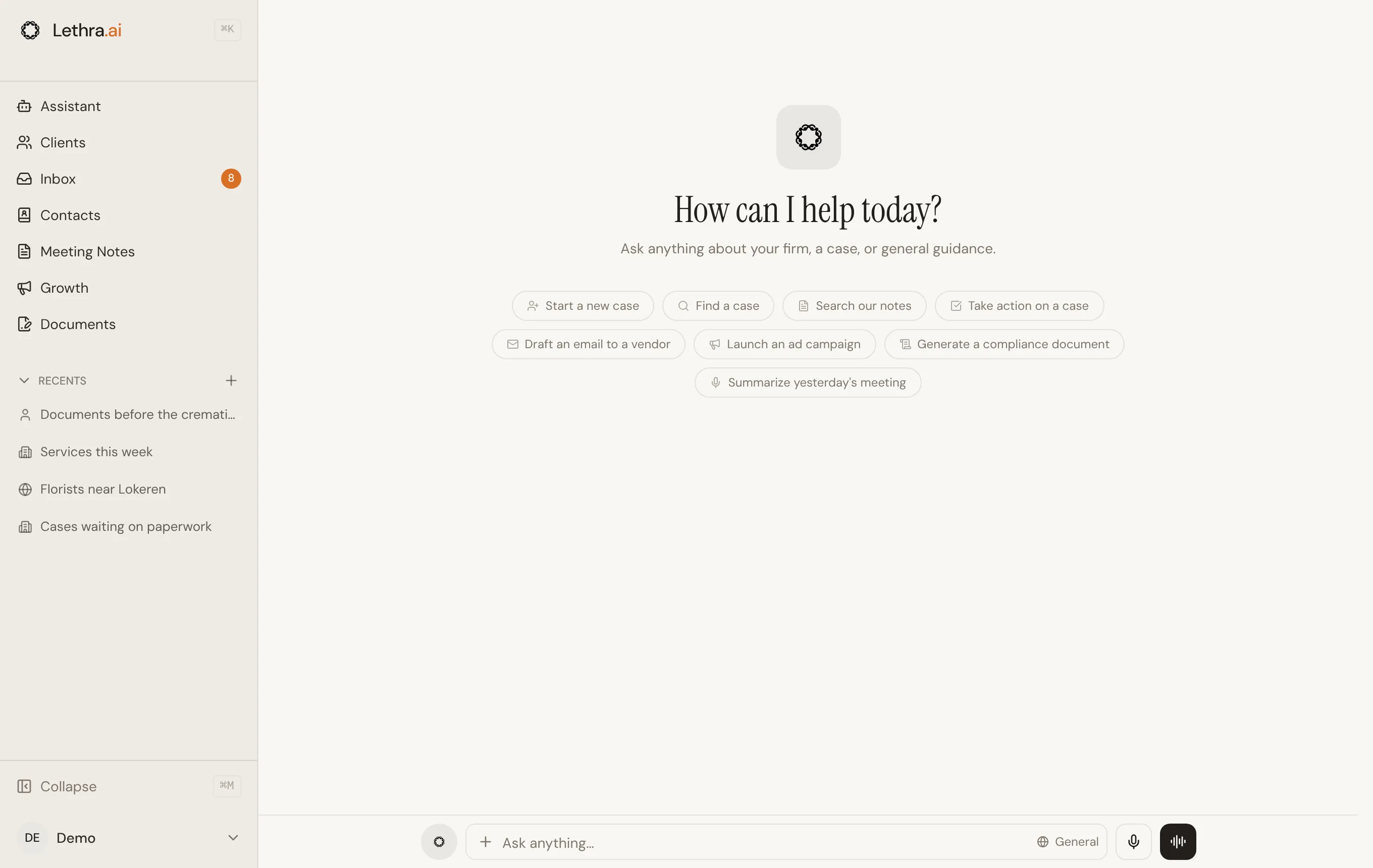
Switching context on an existing conversation changes what it can draw on from that point; starting a new conversation lets you choose the context before asking anything.
What it can do
Section titled “What it can do”Ask it in plain language, the same way you would ask a colleague:
- Questions about a case: what is missing, what was agreed, what is coming up next.
- Drafting: a reply to a family member, a note for the file.
- Questions across your firm, in the General context.
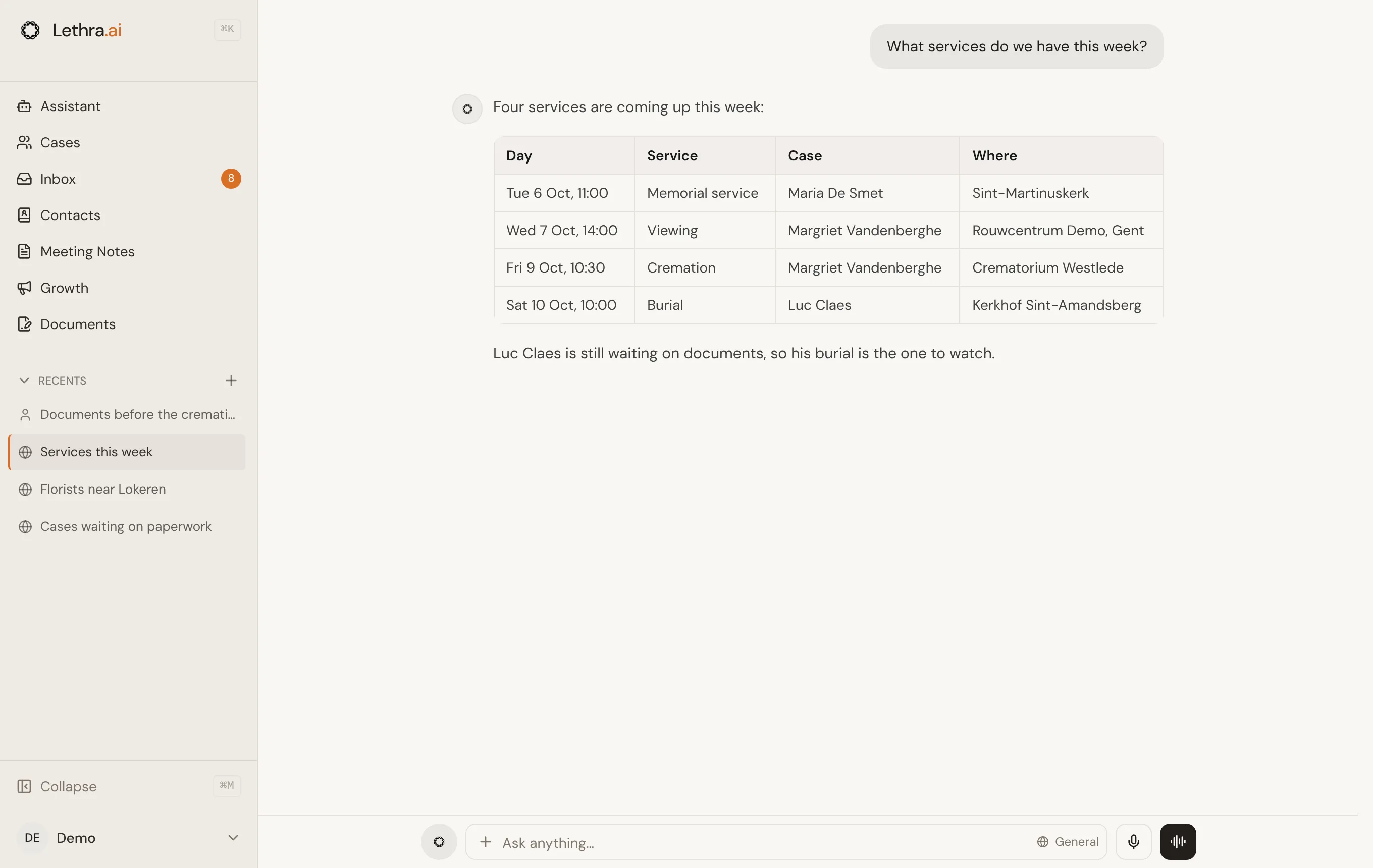
It answers from what is actually on the record. If a case does not say where a service is being held, it will not guess one.
You can also attach files to a message (up to five, 20 MB each), dictate with the microphone, or switch to voice mode and simply talk. When you share a file that belongs to a case, the Assistant can save it to that case and shows you where it went.
Getting to it from the keyboard
Section titled “Getting to it from the keyboard”You do not need to open the Assistant page to start asking it something.
- Type to focus. On the Assistant page, and on every tab of a case, just start typing and the message box takes over. On a case it reads Ask the agent anything, and sending opens the case’s own Assistant tab.
- The command palette. Press
Cmd+K(orCtrl+K) from anywhere in Lethra to open it. Typing a question rather than a name is recognised as a question, and pressing Enter sends it straight to the Assistant, scoped to whichever case you were viewing when you opened the palette. The same palette finds cases, conversations, documents and leads by name, and offers shortcuts like drafting an email or adding a note for the case you are on. Cmd+N(orCtrl+N) on the Assistant page starts a fresh conversation in General. From anywhere else, use New conversation in the command palette.
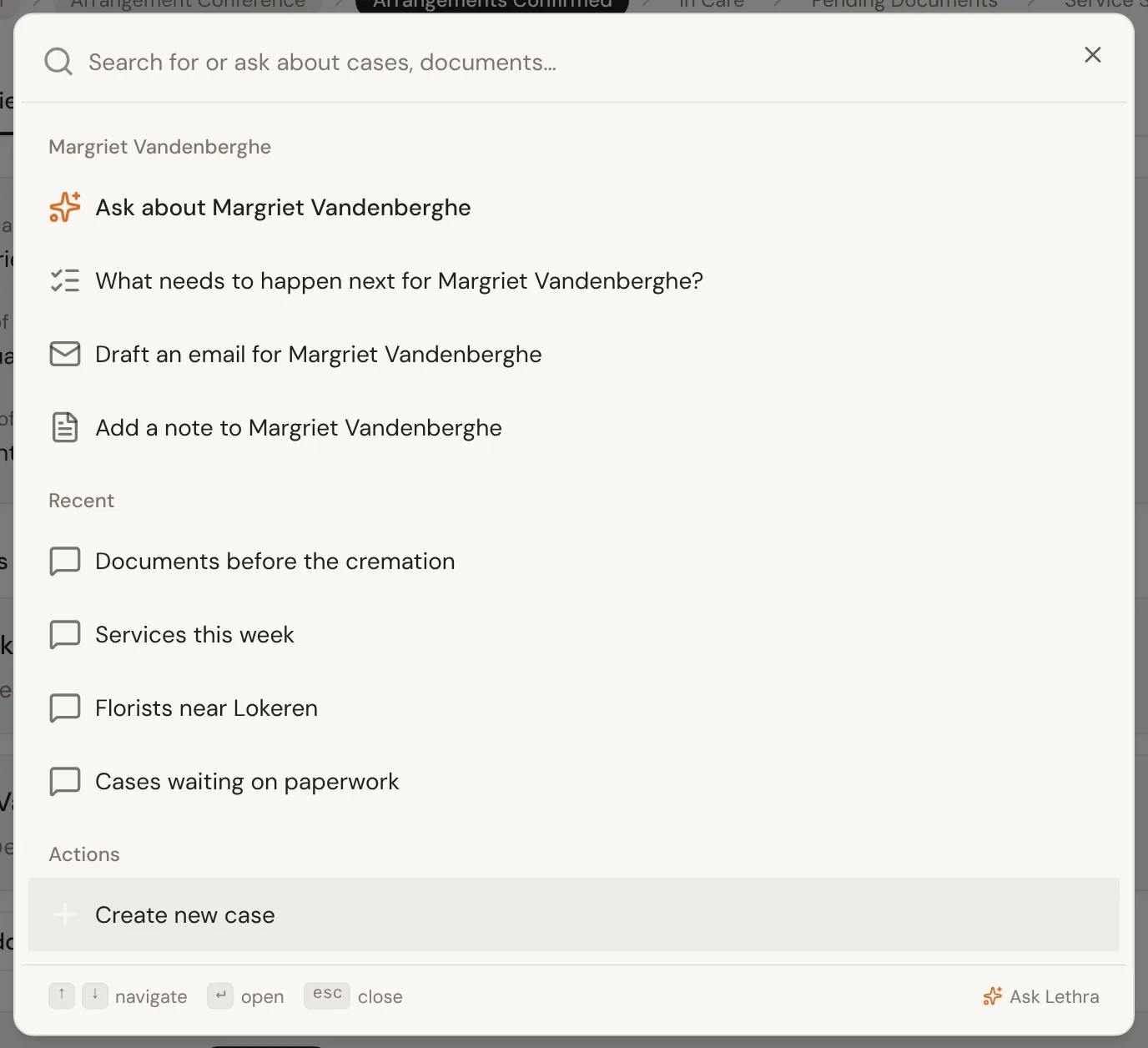
Recent conversations are kept so you can pick one back up rather than losing your place.
The approval boundary
Section titled “The approval boundary”The Assistant answers questions and drafts things at your request. It does not send anything to a family, file anything official, or take an action on a case on its own initiative: that is what the agent does in the background, and the same rule applies to both.
Scheduled check-ins
Section titled “Scheduled check-ins”You can ask the Assistant to come back to something by itself, once or on a schedule: “Review our ads every Monday at 8 and email me what to change”, or “On the 1st of each month, look at the blog and suggest three new posts”.
- It repeats the schedule back to you in plain words before saving it.
- Repeating check-ins run daily, weekly on chosen days, or monthly, at a time in your funeral home’s timezone. You can have up to 10 active.
- Each check-in has its own conversation, so every new report sits under the last one. If you chose email, the report also arrives from your funeral home’s assistant mailbox, and replying continues the conversation.
- Your check-ins appear under Scheduled in the sidebar, where you can pause, resume or delete them. You can also just ask: “stop the weekly ad review”.
During a check-in the Assistant only reads and suggests. It never publishes, changes budgets, sends emails to families or edits anything; budget or publish changes can only be prepared for you to approve. If a check-in fails three times in a row, it pauses and tells you why.
How drafts wait for you and how to approve them: The inbox, in depth.
Was this page helpful?
Thank you. We read every reply and use it to improve the guides.