

Working with the agent
The agent is the colleague that takes the administrative half of a case. It reads the file, notices what is missing, prepares the work, and comes back to you when a decision or a signature is needed.
The rule that matters most is simple, so it is worth stating before anything else.
What it does on its own
Section titled “What it does on its own”These things happen without you asking.
- It reads the case and keeps track of what is still open.
- It drafts emails to the family, in the family’s language, from what the case already says.
- It prepares documents from your templates, filling in what it knows.
- It records what it learns. If a family mentions a change to the ceremony in a reply, that lands on the case, not just in a mailbox.
- It remembers to come back. If it is waiting on a document or an answer, it schedules its own follow-up rather than forgetting.
What always waits for you
Section titled “What always waits for you”- Emails to families are drafted for your approval. They wait in the inbox until someone approves them, unless your firm has chosen to let the agent send on its own.
- Emails to suppliers wait too. Unless your firm turns on automatic sending for them under Your Company, Vendors, Outbound emails.
- Decisions stay yours. When the agent reaches something it should not decide alone, it asks you a question in the inbox and waits for the answer.
- Documents are prepared, not filed. Anything official is yours to check and submit.
- Nothing is shared with a family until you invite them and choose what they see.
The briefing
Section titled “The briefing”Each case has an Agent tab, and at the top of it is the briefing. It is the agent’s answer to “where is this case, and what should I do next?”, written fresh rather than pulled from a checklist.
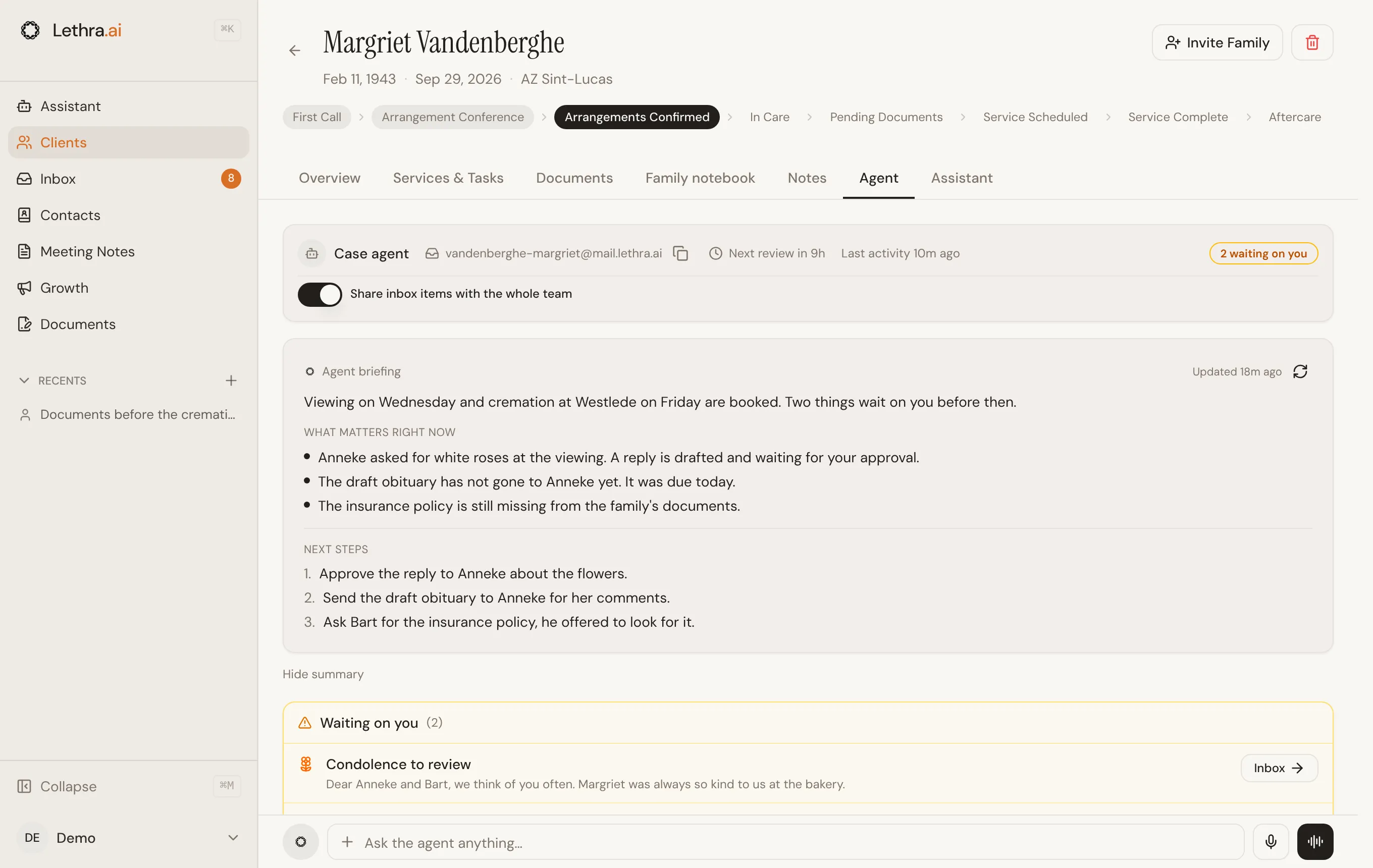
It has two parts:
- What matters right now is the state of the case in a few lines. The things that are unusual, late, or waiting.
- Next steps is what the agent would do next, in order.
When there is genuinely nothing outstanding it says so rather than inventing work. The briefing shows when it was last updated, so you can tell whether you are looking at something written before or after this morning’s phone call.
The briefing is the fastest way back into a case you have not touched for a few days, and it is worth reading before you ring a family back.
Asking it directly
Section titled “Asking it directly”Once a case has its own agent mailbox, which Lethra sets up for you, a bar at the bottom of every tab reads Ask the agent anything…. What you type opens in the case’s Assistant tab, where the conversation carries on. You can also talk to it by voice. It has the whole case in front of it, so you can ask in plain language rather than going to find the answer yourself.
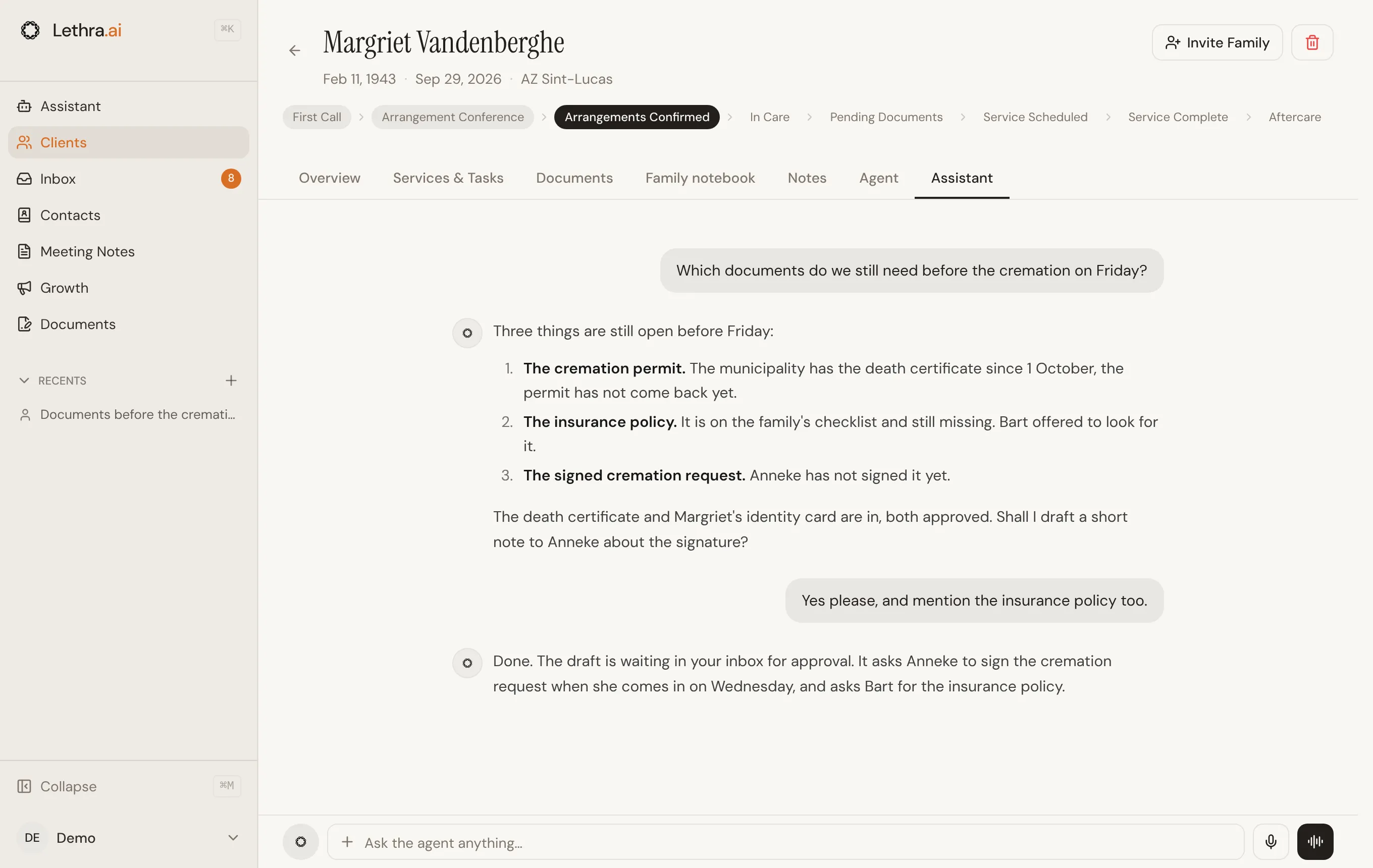
Useful things to ask:
- What is still missing from this file?
- Draft a reply to the daughter about Thursday’s viewing.
- What did we agree about the flowers?
- Which documents do we still need before the cremation?
There is also Assistant in the main sidebar. That one is not tied to a single case, so use it for questions across the whole firm rather than about one family.
Which mailbox it sends from
Section titled “Which mailbox it sends from”Lethra can send from two places, and this catches people out, so it is worth understanding.
- Your Gmail, so the family sees the message coming from you personally. Connect it once under Your Account, with Enable email sending.
- The agent mailbox, a separate address the agent uses for each case, on your firm’s own domain if you have set one up under Your Company.
Before you approve a draft you can see which one it will go from, and switch it for that message with Use my Gmail or Use agent mailbox.
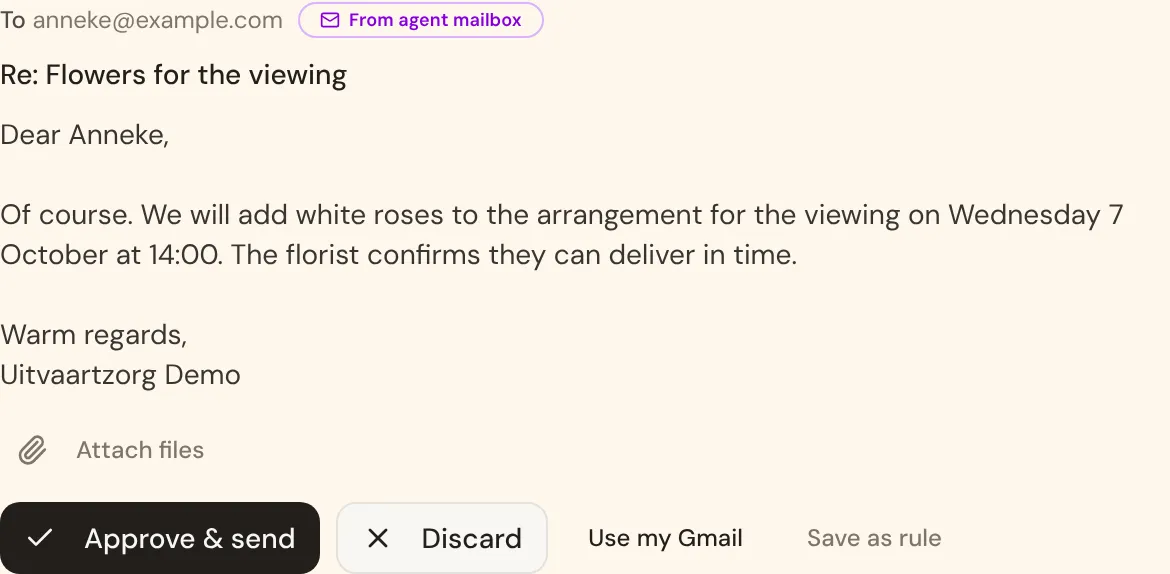
Save as rule teaches the agent that preference for this kind of email, so you are teaching it once rather than correcting it weekly. Your saved preferences are kept under Your Account, where you can also write them in plain words. Most firms end up sending family correspondence from a personal Gmail and supplier or administrative email from the agent mailbox.
What it will not do
Section titled “What it will not do”Being clear about the limits is the point of trusting it with the rest.
- It does not invent facts. If the case does not say where the service is, the draft will not guess.
- It does not send anything to a family on its own, unless your firm has turned that on.
- It does not decide pricing, or commit your firm to a supplier.
- It does not act on a phone call it did not handle. If you agreed something on your mobile, the agent only knows once it is on the case.
Approving what it writes: The inbox.
Was this page helpful?
Thank you. We read every reply and use it to improve the guides.