

Company settings
Everything that applies to the whole firm, rather than to one person, lives under Your Company. It is worth setting up before your first case, because several tabs feed directly into how the agent works.
The tabs
Section titled “The tabs”Your Company is split into tabs, and each one has its own job.
| Tab | What it holds |
|---|---|
| Company | Business information, agent email, knowledge, and workflow with your services catalogue |
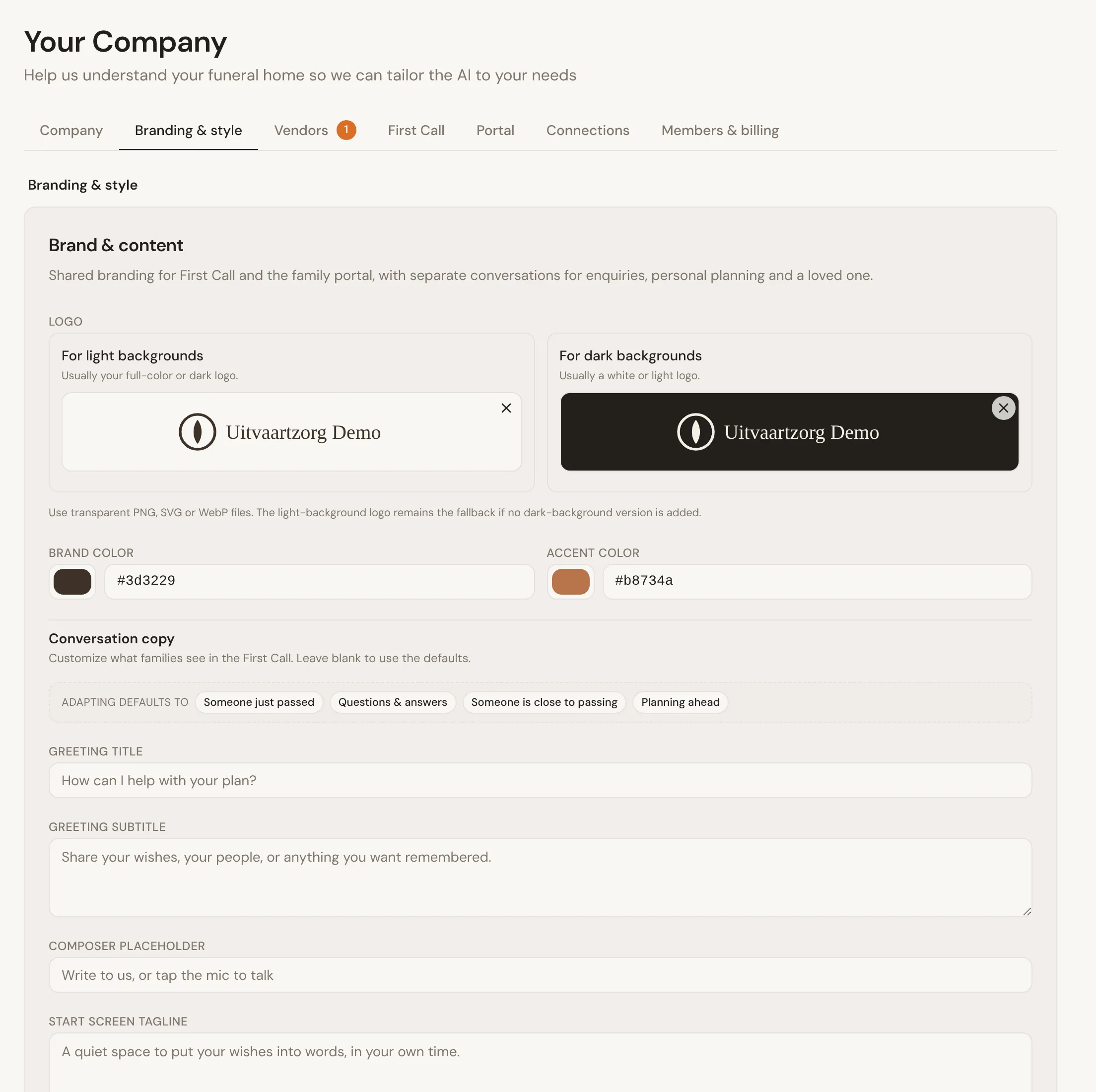
| Branding & style | Your logo, colors and wording for First Call and the family portal |
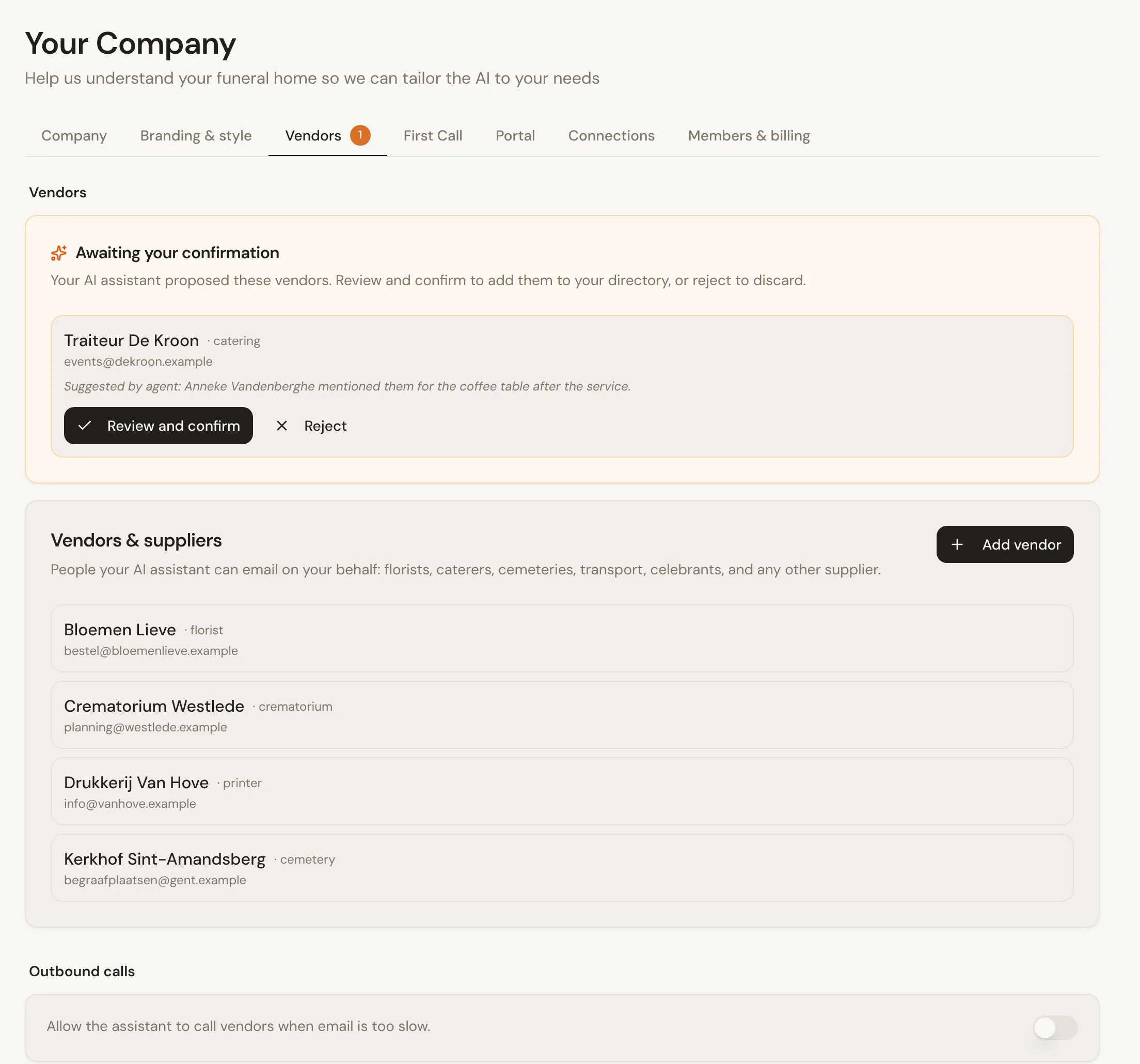
| Vendors | Your suppliers, plus outbound calls and emails |
| First Call | The website assistant and the phone receptionist |
| Portal | The family portal switch |
| Connections | Your ad accounts, and region-specific integrations such as eLys when your region unlocks one |
| Members & billing | Team members, and a link to manage payments, invoices and subscriptions |
Branding & style is how families see you. Add your logo for light and dark backgrounds, pick your colors, and change the wording of First Call if you want your own.
Vendors is the list of suppliers the agent may write to: the crematorium, the florist, the printer. When the agent comes across a new supplier on a case, it suggests it here for you to confirm. Below the list you choose whether its emails to suppliers wait for your approval.
Business information
Section titled “Business information”The Company tab starts with your firm’s identity: name, address, phone, website, language, timezone and region. You can import most of this from your website with Import from Website rather than typing it out. To read your site again later, use the refresh icon next to the website field.
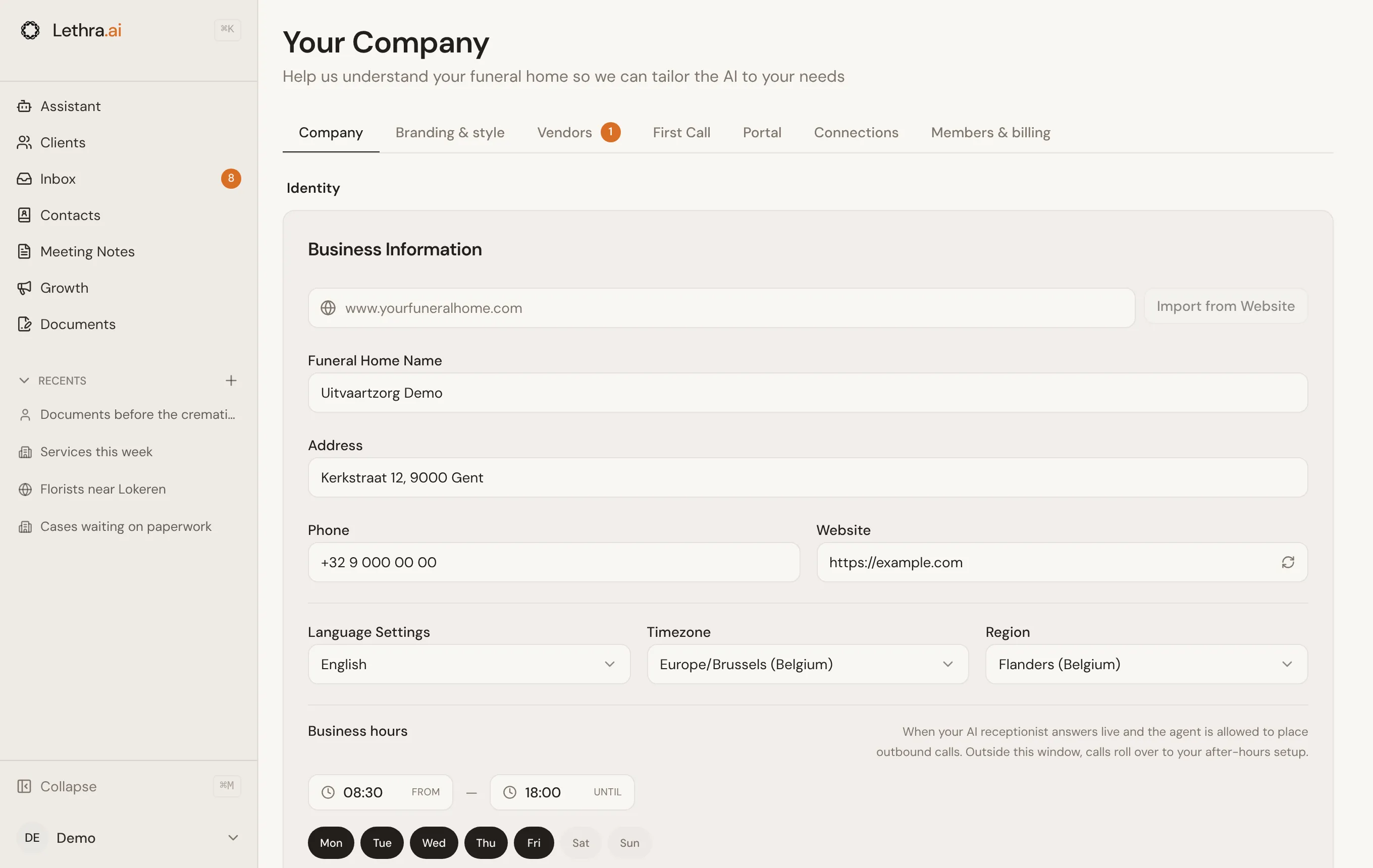
- Name, address, phone, website. The basics the agent and your documents draw on.
- Timezone. Used for scheduling and for when the agent decides something is happening “today” or “tomorrow”.
- Business hours and days. The hours your firm is open, used to judge whether a call or message has arrived after hours.
- Urgent alert email. Where Lethra sends an email the moment a family signals an urgent situation.
Agent email
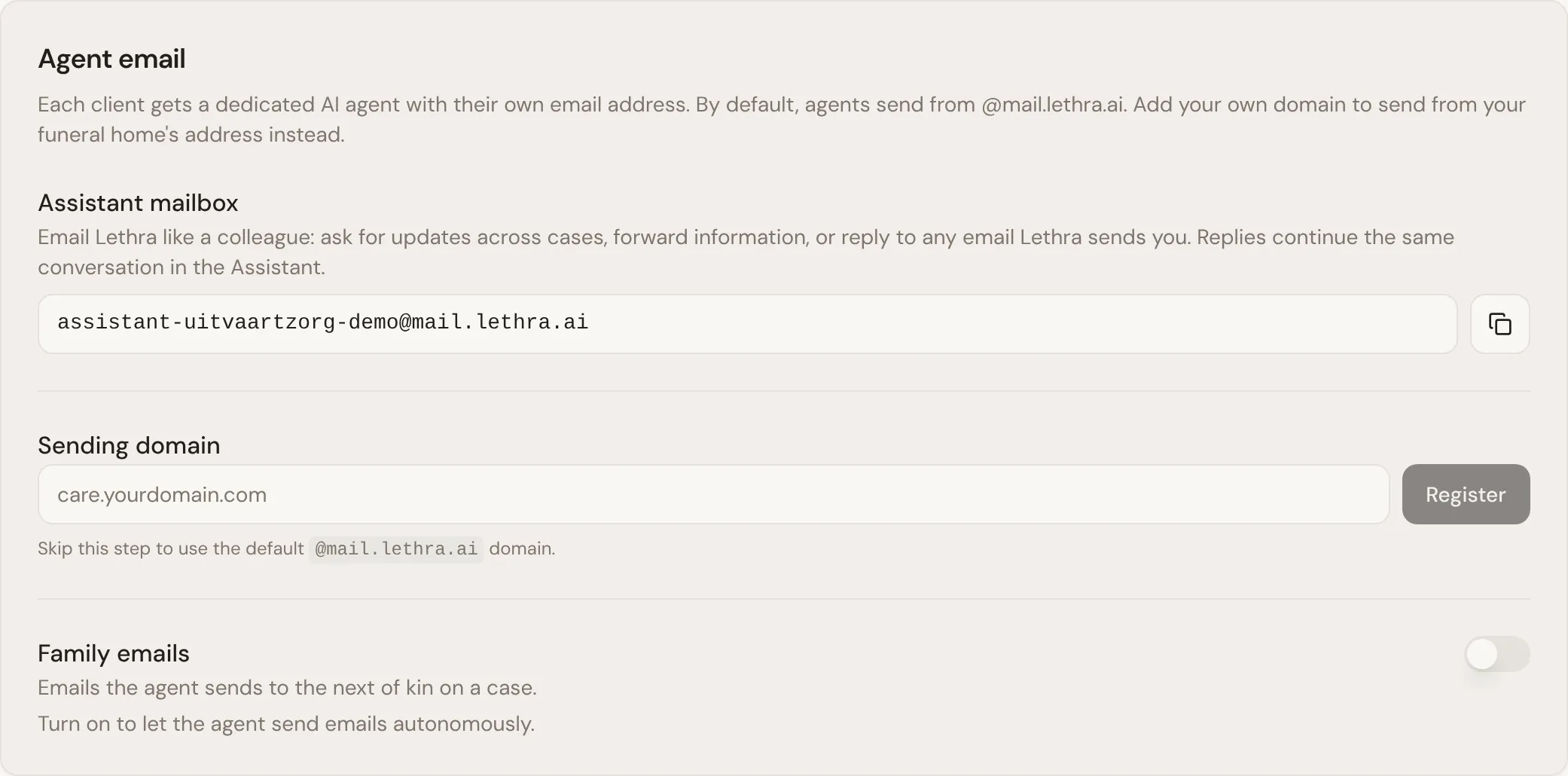
Section titled “Agent email”Below business information is the Agent email section. Each case gets its
own agent email address. By default these send from @mail.lethra.ai. Under
Sending domain you can add your own domain, so the agent sends from your
funeral home’s address instead. See Working with the
agent for how Lethra chooses between this
mailbox and your personal Gmail on a given message.
The same section holds:
- Assistant mailbox, an address your team can email like a colleague: ask for updates across cases, forward information, or reply to anything Lethra sends you.
- Family emails, the switch that lets the agent send to families without waiting for approval. It is off by default, and most firms leave it off.
Knowledge
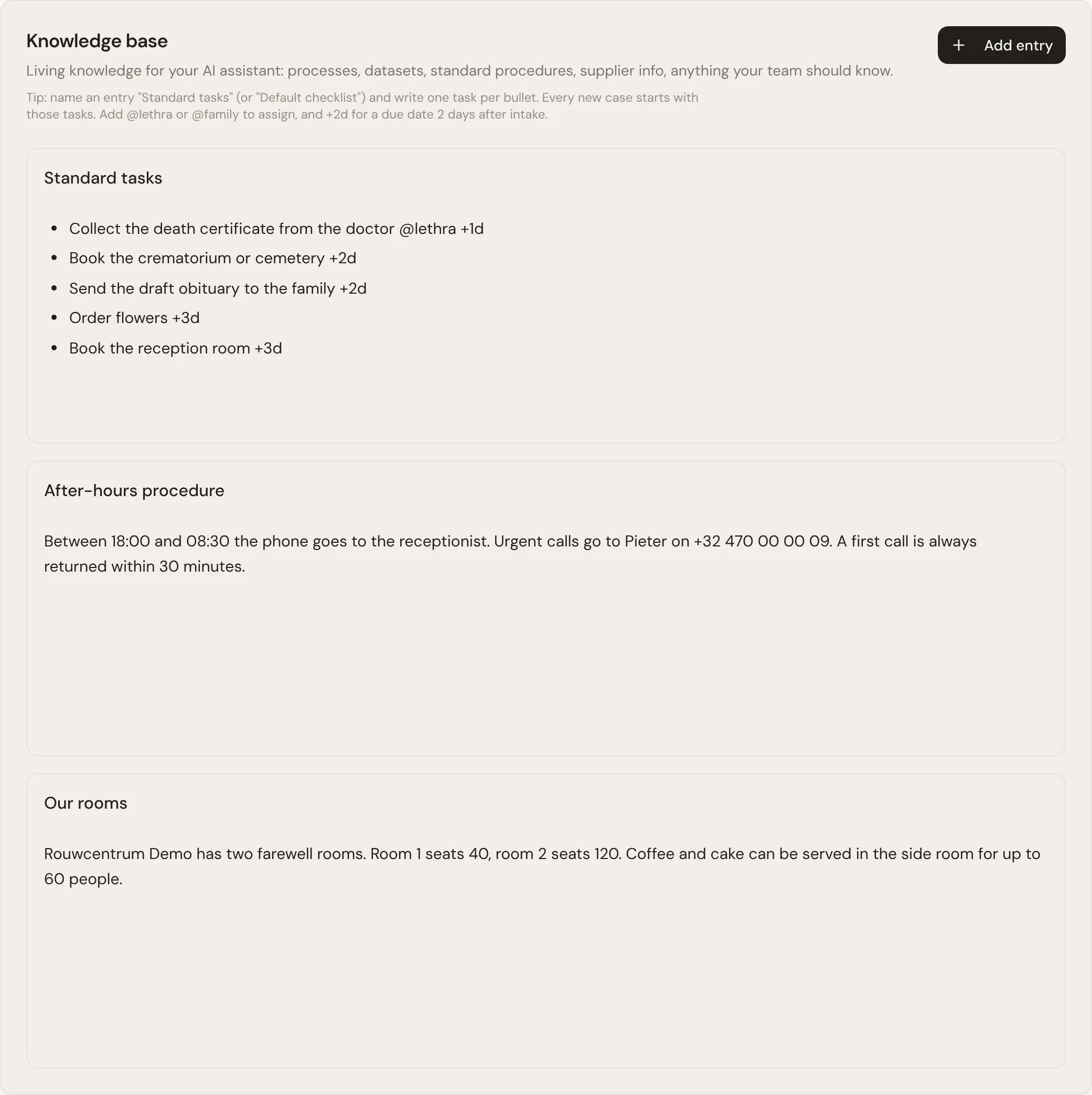
Section titled “Knowledge”The Knowledge section is where you keep information the agent should know about your firm that is not tied to any single case, so it can answer questions and draft consistently without you repeating yourself.
One entry is special. Name an entry Standard tasks and write one task per bullet, and every new case starts with those tasks.
Workflow
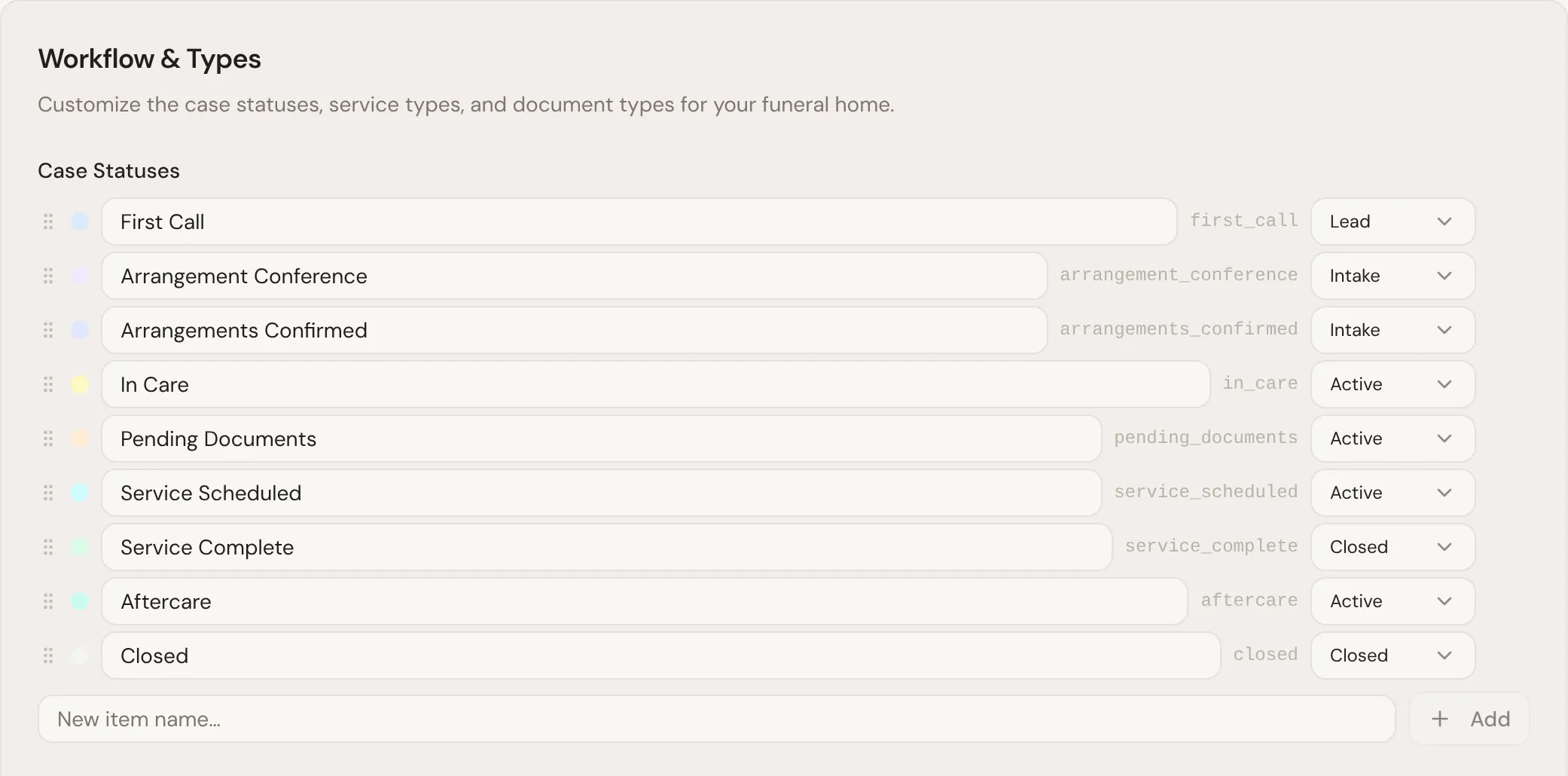
Section titled “Workflow”At the bottom of the Company tab, the Workflow panel is where you shape the stages a case moves through, the labels for each one, and which bucket a custom stage falls into. This is what colours the status of a case as it moves along, and it is worth setting up the way your firm actually works rather than leaving the defaults if your process has its own steps. The same panel holds your service types and document types.
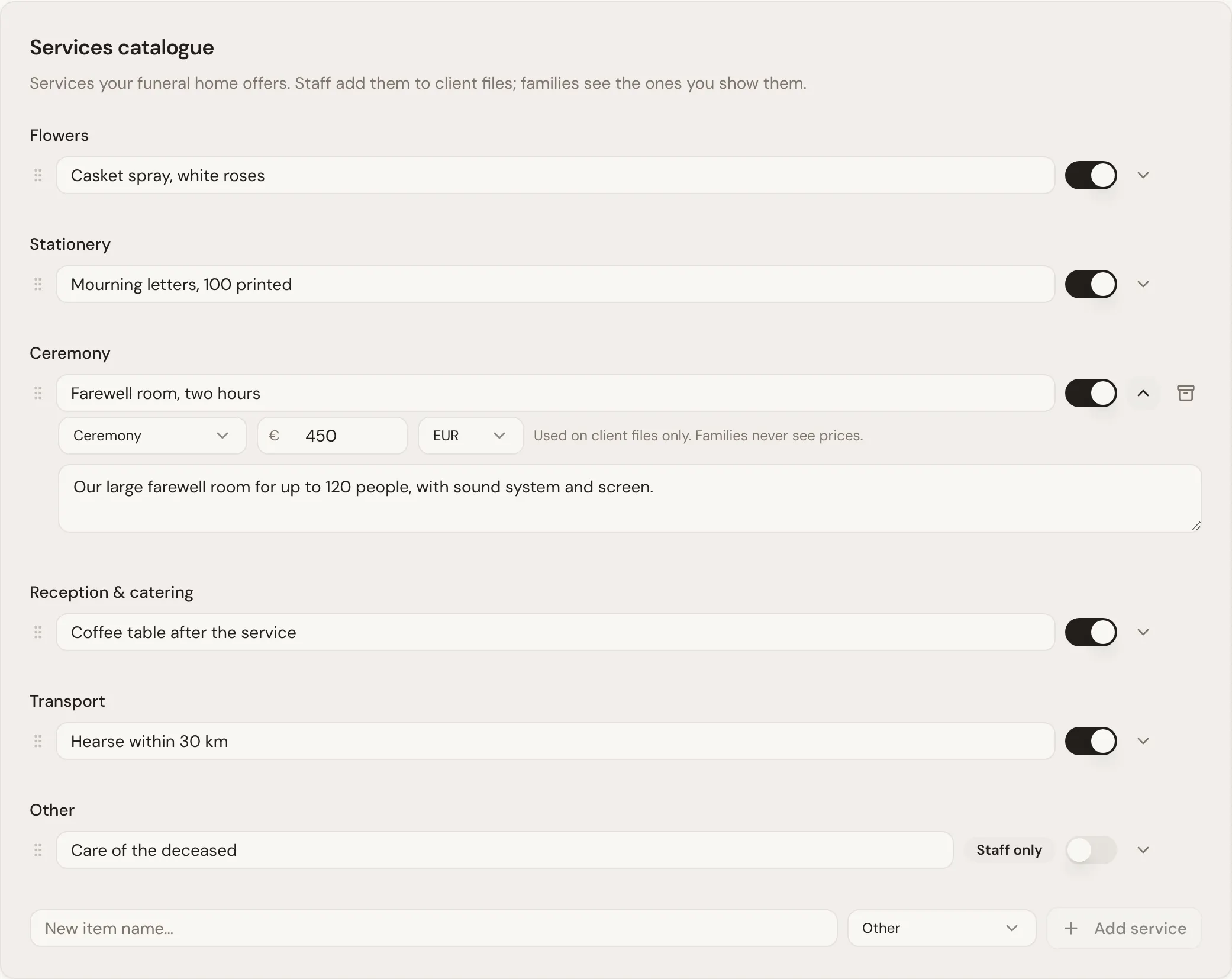
Below it is the Services catalogue: the services your funeral home offers. Staff add them to cases, and families see the ones marked Shown to families. The internal price is only used on your case files. Families never see prices.
What the agent uses from these settings
Section titled “What the agent uses from these settings”- Business information grounds facts the agent puts in drafts and documents: your address, phone number and hours.
- Business hours decide what counts as after hours for calls and messages.
- Workflow stages are what the agent updates as a case progresses, and what the briefing on each case refers to.
Invite your colleagues: Team and access.
Was this page helpful?
Thank you. We read every reply and use it to improve the guides.