

Cases and tasks
A case is where the day-to-day work actually happens. Once the first two fields are filled in and the record exists, you will come back to it repeatedly: adding services, ticking off tasks, checking what the agent has noticed. This page covers that routine work.
Moving between statuses
Section titled “Moving between statuses”Every case has a status, shown as a row of steps at the top of the case. Click a step to move the case there. By default a case starts at First Call and moves through the stages a file naturally passes through: Arrangement Conference, Arrangements Confirmed, In Care, Pending Documents, Service Scheduled, Service Complete, Aftercare, and Closed. Your firm can change this list under Your Company, in Workflow & Types.

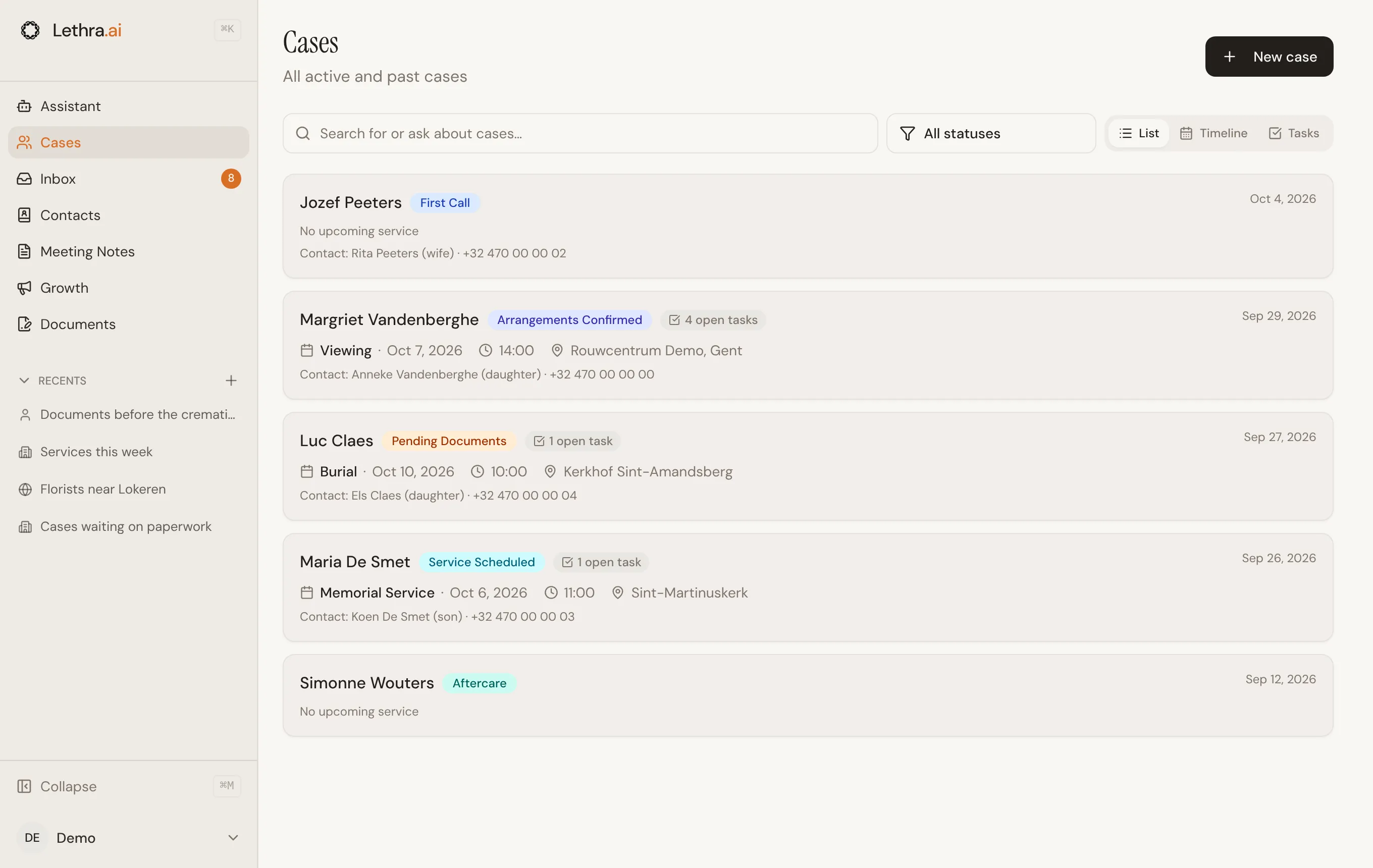
The status is how your team sees at a glance where each file stands. It shows as a badge on the Cases page, where you can filter on it, and the agent can update it as it works the case. It is internal: families do not see it in their portal.
The tabs
Section titled “The tabs”Once a case is open, its work is split across tabs: Overview, Services & Tasks, Documents, Family notebook, Notes, Agent, and Assistant. Most of your daily work happens in Services & Tasks, which is where this page focuses. Family notebook shows what the family has shared through their portal, topic by topic.
Tasks are the to-do list for a case: things someone needs to do, with an optional due date and an owner. They sit below the case’s services and meetings on the Services & Tasks tab, split into an open list and a Completed list.
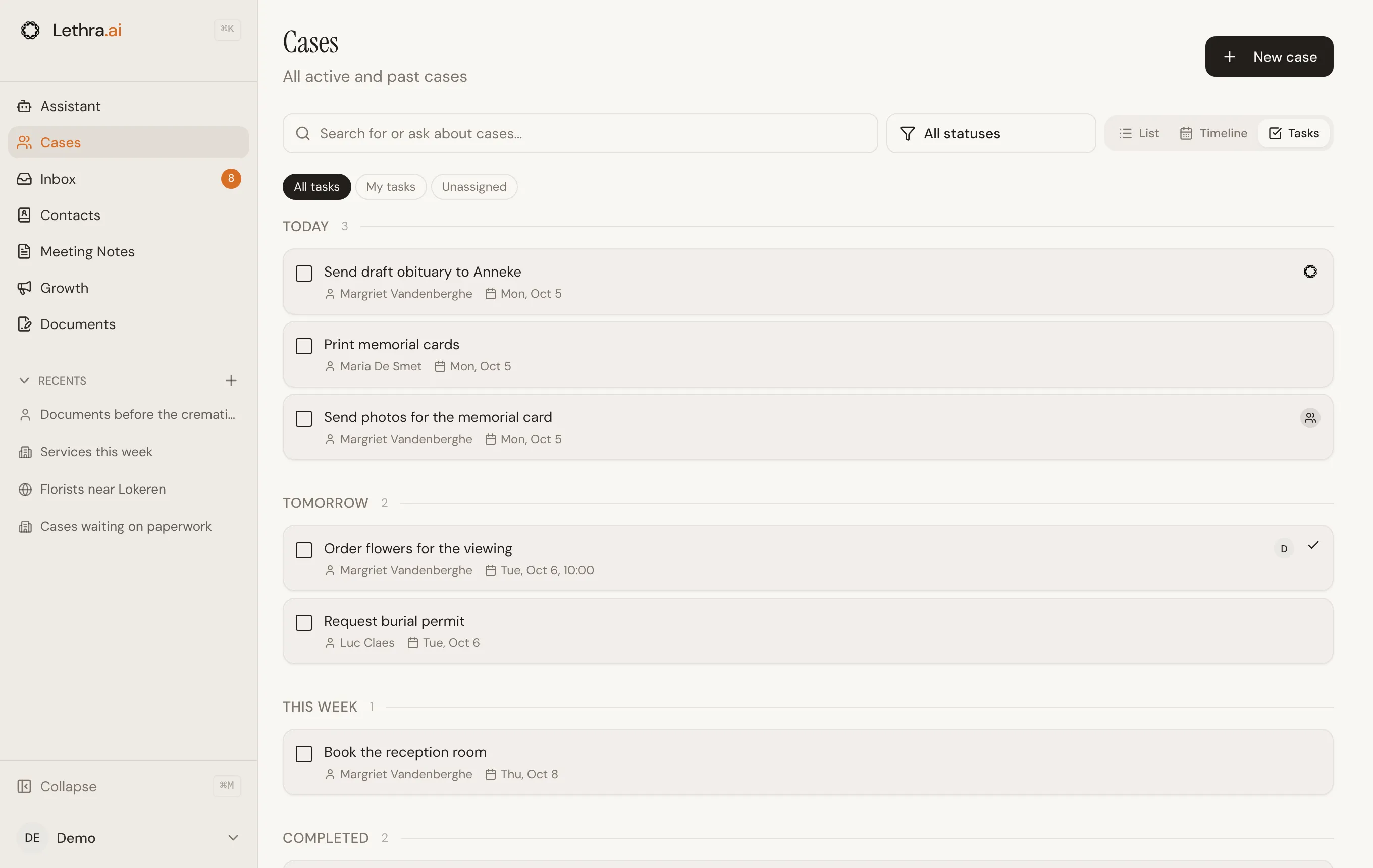
To see the open tasks of every case at once, switch the Cases page to Tasks. They are grouped by when they are due. Narrow the list with All tasks, My tasks or Unassigned, tick a task off right there, or click it to open its case.
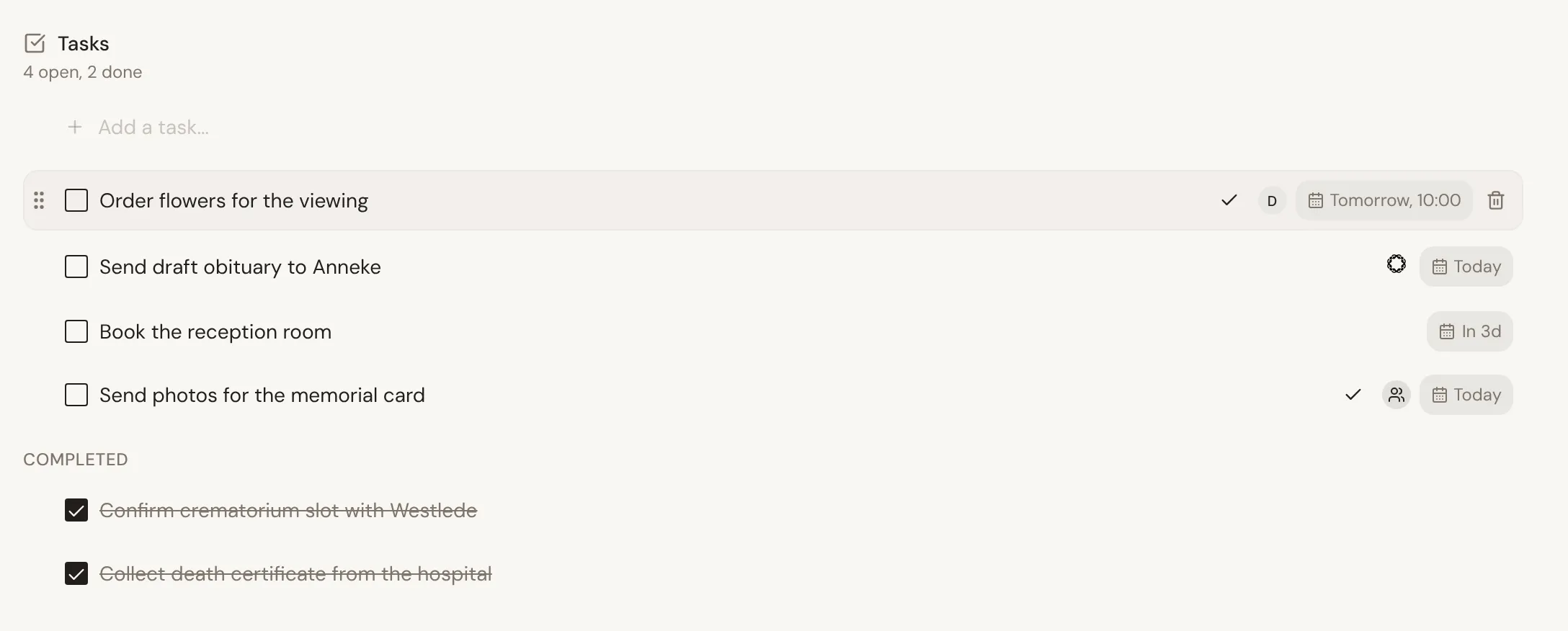
- Quick add. Type a title into the field at the top and press Enter. The task appears immediately; there is no separate form to fill in.
- Inline editing. Click a task’s title to edit it in place. Press Enter to save, or Escape to discard the change.
- Drag to reorder. Grab the handle on the left of a task and drag it up or down. The order you set is the order the list keeps.
- Checking one off moves it from the open list to the Completed list, struck through, rather than deleting it.
Due dates and assignment
Section titled “Due dates and assignment”Hovering a task reveals its due date and assignee controls.
- Due date and time. Click the calendar icon to pick a date, and optionally a time from a set of quick options or your own choice. A task with a passed due date is marked overdue in red.
- Assignee. Click the assignee icon to hand the task to a colleague, to Lethra, or to the family. Tasks assigned to nobody have no assignee icon showing until you hover.
Sharing a task with the family
Section titled “Sharing a task with the family”A task can be marked as shared with the family, for things like “sign the release form” or “send us the photos for the slideshow”. Sharing is the icon next to the assignee: a share icon while the task is internal, a check mark once it is shared. Click it again to stop sharing.
The timeline
Section titled “The timeline”Every case keeps a timeline on its Agent tab: a record of the calls, emails, and messages that have happened on it, grouped into threads. Each thread shows its channel, when it was last active, and how many events it contains. Expanding a thread shows every message or call in order, with any attachments.
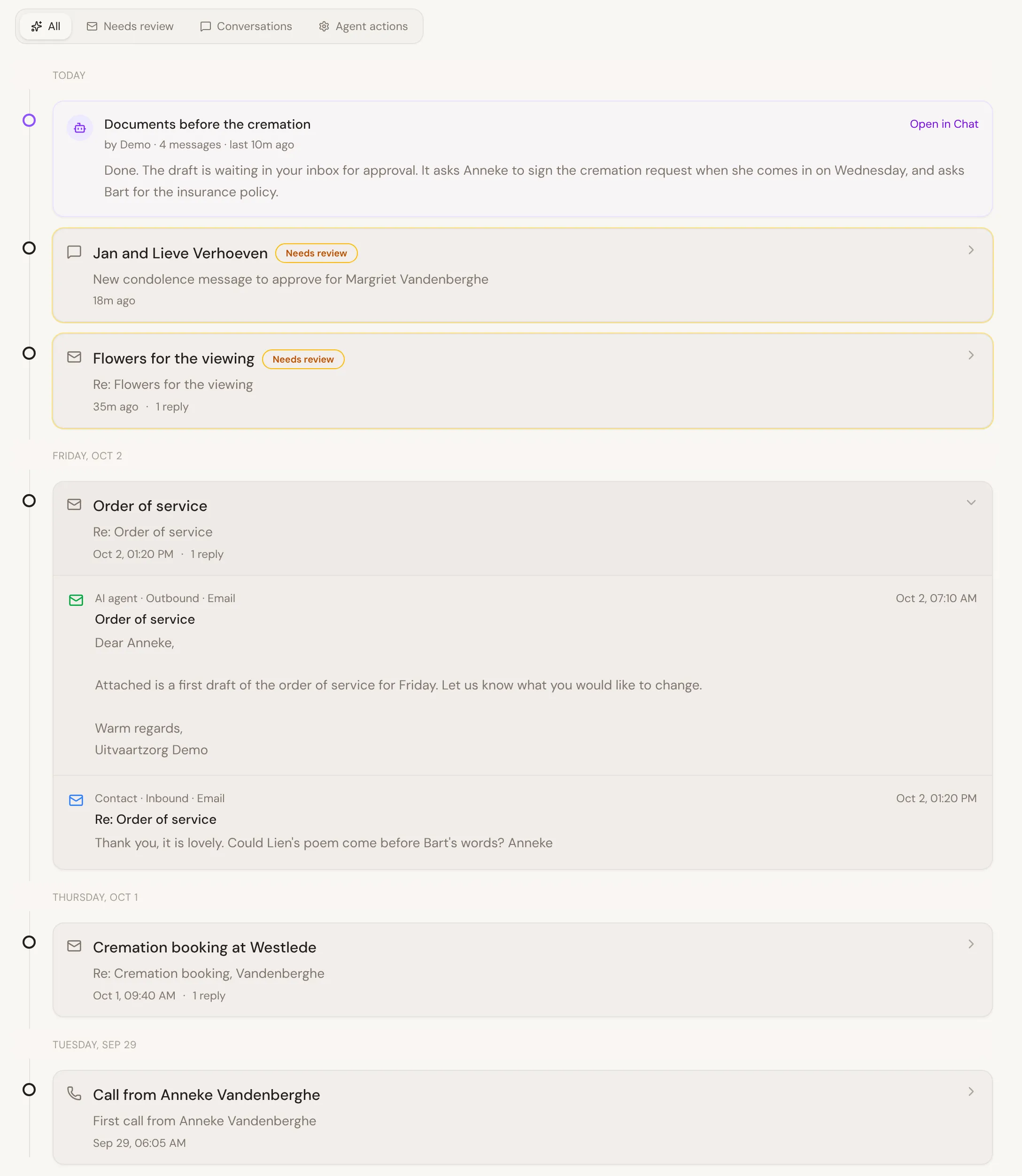
The timeline is not something you maintain by hand. It fills in as the case is worked: an email the agent drafts and you send, a reply that comes back, a call you log. It is the place to look when you need to reconstruct what was actually said and when, rather than relying on memory or a scattered inbox search.
Putting services and meetings on the calendar: Scheduling.
Was this page helpful?
Thank you. We read every reply and use it to improve the guides.