

Growth
Growth is where Lethra helps you bring in new families, rather than only managing the cases you already have. It lives in two places in the sidebar.
Growth has three tabs:
- Leads: your branded planner page and every family who started a plan or sent an enquiry.
- Website: build, edit and publish your funeral home’s website, and see how many people visit it.
- Ads: campaigns on Facebook and Instagram, Google Search and ChatGPT.
Content holds everything you publish, with one calendar for all of it:
- Overview: a month calendar of every blog article, social post, newsletter and obituary, planned or published, with the drafts that still need a date.
- Social: posts on Facebook, Instagram and Google.
- Blog: articles for your own website, written with the assistant.
- Newsletter: an email to the people who subscribed.
- Obituaries: obituaries on your website and the condolence messages waiting for your approval.
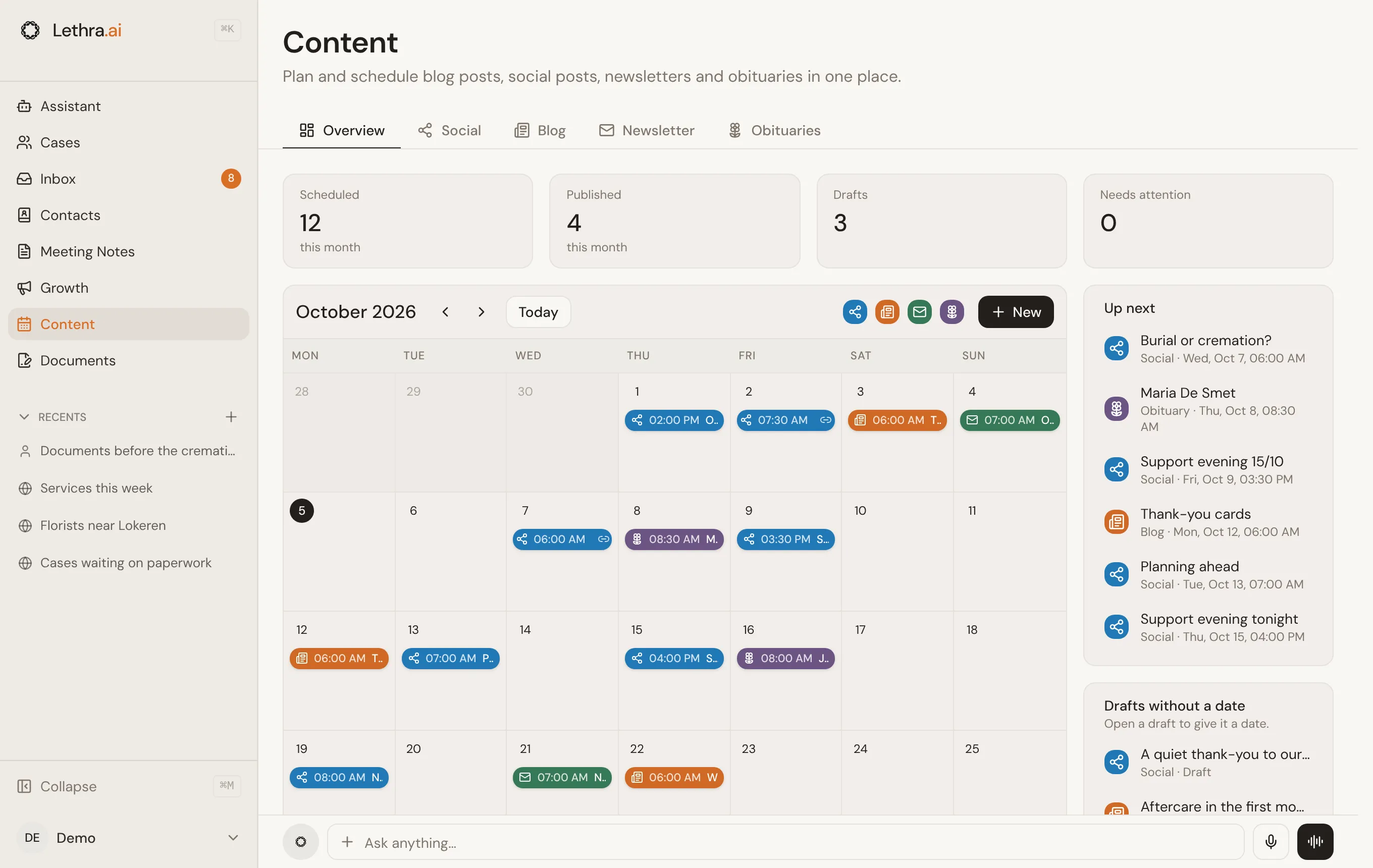
At the bottom of every tab there is an assistant bar. Ask it something in plain words, for example “set up a campaign for pre-planning”, and it opens the assistant with the request, already knowing which tab you came from.
Where to start
Section titled “Where to start”The guides in this section follow the order most funeral homes set things up in:
- Website. Every family who finds you, through an ad, a search or a social post, lands on your website. Get it right first.
- Ads. Once the website and planner page are ready, ads bring more families to them.
- The rest of Content: Social media, Blog, Newsletter and Condolences. They keep your website alive and give families a reason to come back.
The Leads tab starts with your planner page: the link families use to put their wishes on paper. Copy it, open it, or change its settings with the buttons next to it. Every visitor who starts a plan shows up in the list below, together with enquiries from your website.
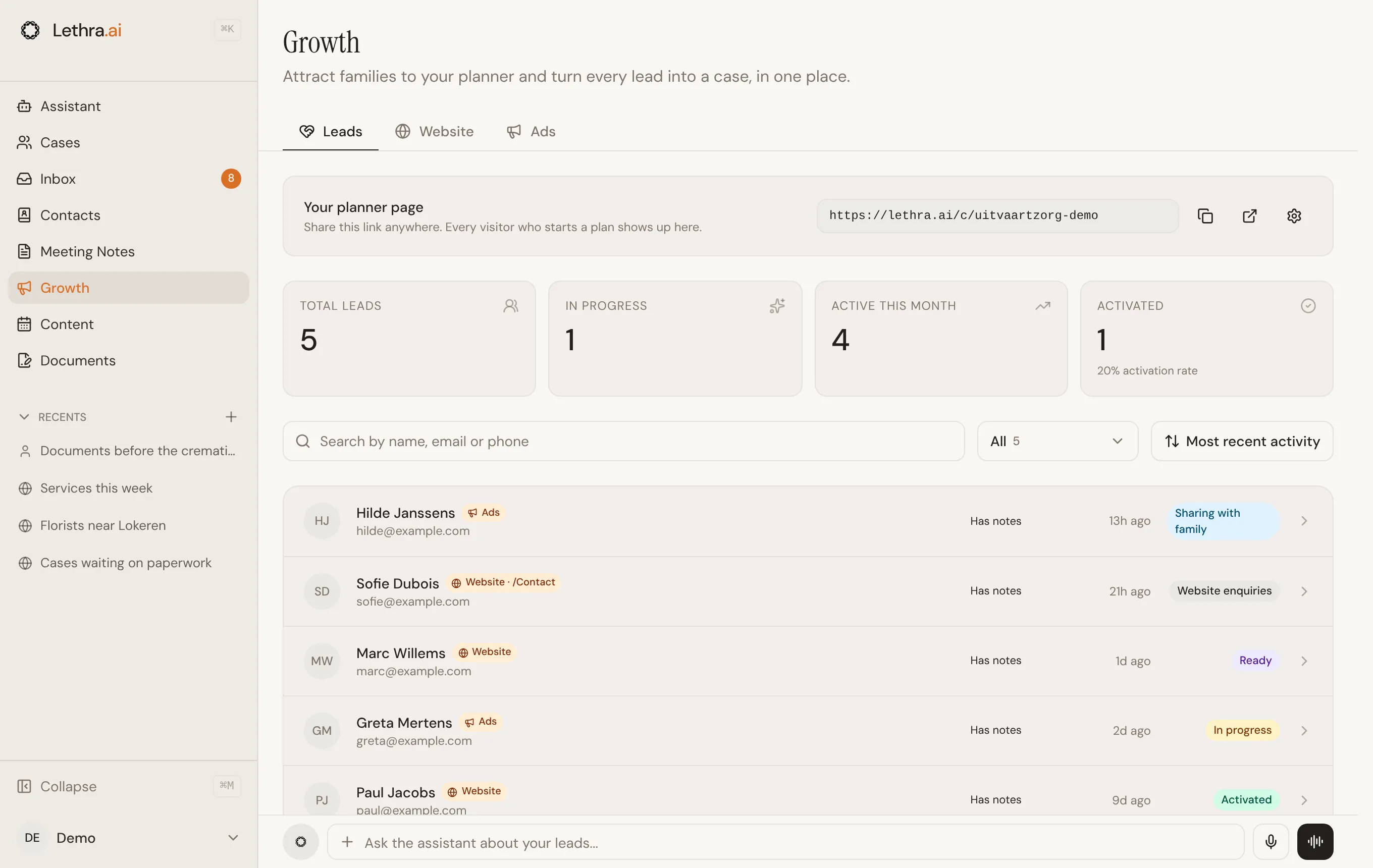
Each family shows where they came from, such as Ads or Website, how far they got and when they were last active. Search by name, email or phone, filter by status, or change the sort order at the top of the list.
Newsletter subscribers are in Contacts, together with the consent they gave. Newsletter in the status filter takes you there.
How ad spend works
Section titled “How ad spend works”Ads are switched off until you turn them on. Turning them on needs a branded planner page first, since every ad needs somewhere to send someone. If you have not set one up, the Ads tab points you to Leads to do that before anything else.
When you turn Ads on, Lethra drafts a starter campaign so you are not looking at an empty screen. It stays a draft until you review it.
Each campaign has a daily budget, and that budget is what the ad platform spends. Nothing is spent while a campaign is a draft. Even after you publish, a campaign starts paused: it only starts spending once you click Start delivery and confirm.
What the agent does versus what you approve
Section titled “What the agent does versus what you approve”The agent can go a long way on its own inside Growth, but it stops at the point where money would actually move.
- It can draft. Ask it for a campaign and it writes the strategy, audience, budget suggestion and ad copy, as a draft. It can draft for Meta, Google Search and ChatGPT.
- It can edit. It can adjust a draft campaign’s name, budget, schedule, audience or destination link, and revise creative copy. It can also mark creatives approved or rejected.
- It can report. It can list your campaigns, read their results and show which leads a campaign brought in.
- It can prepare a campaign to publish. It checks that the channel is connected and that you have an approved creative, then shows a Publish button for you.
- It cannot make a campaign live. Only you can publish a campaign and start its delivery, since that is when real budget starts being spent.
In this section
Section titled “In this section”- Website: build or import your website, edit it with the assistant and publish it.
- Ads: campaigns on Meta, Google Search and ChatGPT.
- Social media: plan and publish posts on Facebook, Instagram and Google.
- Blog: write articles for your website.
- Newsletter: write and send an email to your subscribers.
- Condolences: obituaries and condolence messages on your website.
Was this page helpful?
Thank you. We read every reply and use it to improve the guides.