

The group team
The group team is the people at head office who can see every brand. Staff who work in one funeral home do not belong here. They are invited inside their own brand.
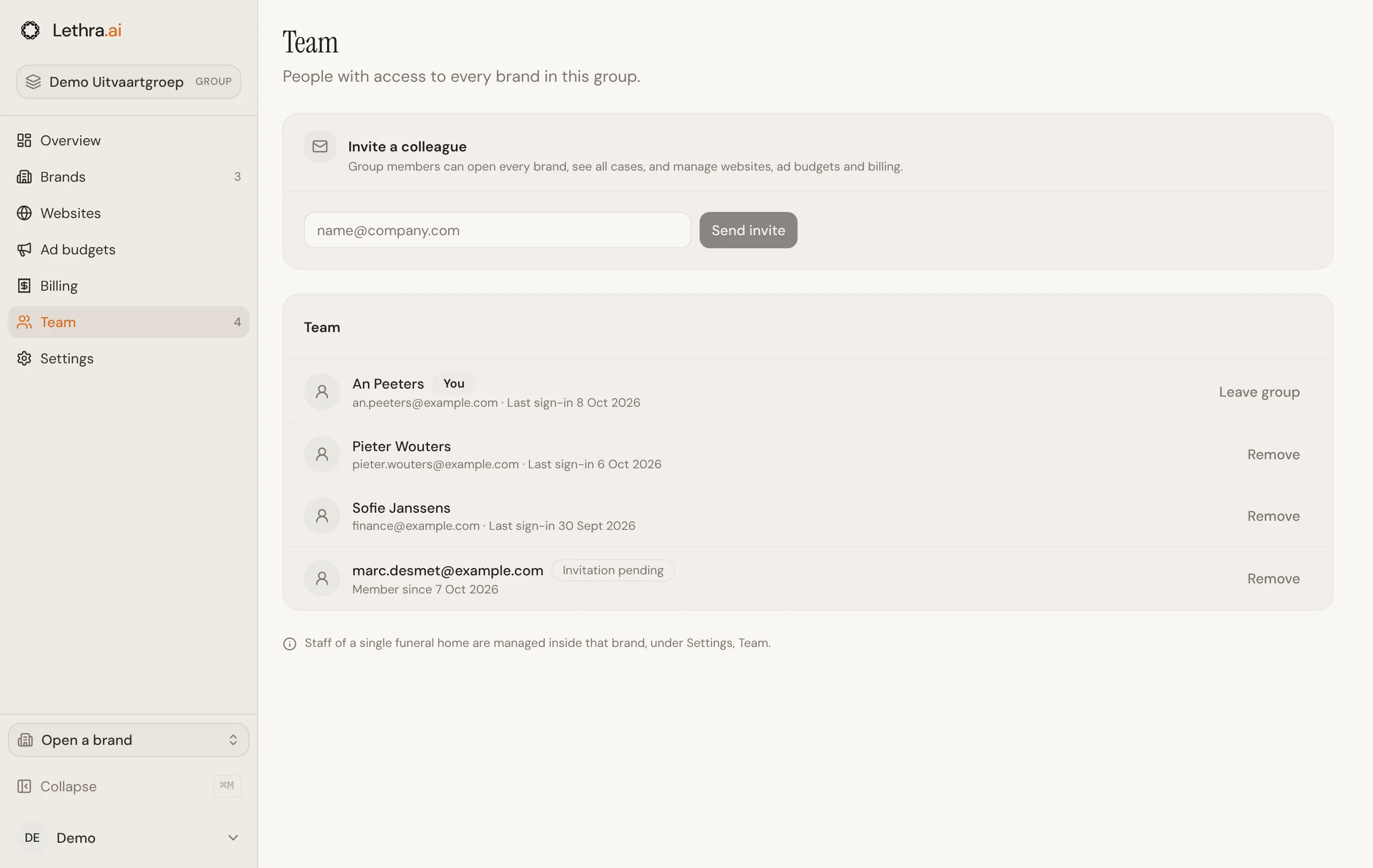
Inviting a colleague
Section titled “Inviting a colleague”Under Team, enter your colleague’s email address and click Send invite.
- Someone without a Lethra account receives an invitation email. The link in it brings them to the group workspace.
- Someone who already has an account, for example as staff of one of your brands, is added straight away. They see the group workspace the next time they sign in.
Every member has the same access. There are no roles to choose.
The member list
Section titled “The member list”Each member shows their name and email, and when they last signed in. Invitation pending means the person has not signed in yet. You marks your own account.
Removing a member or leaving
Section titled “Removing a member or leaving”Click Remove next to a member, then confirm. They lose access to the group workspace and to every brand in it, unless they are also staff of a brand. In that case they keep working in that one brand.
To leave the group yourself, click Leave group on your own row. You go back to your own brand dashboard, if you have one.
A group always keeps at least one member. When you are the only one, the buttons are not shown.
Group members and brand staff
Section titled “Group members and brand staff”| Group member | Brand staff | |
|---|---|---|
| Invited from | Team in the group workspace | Your Company, Members & billing tab, inside the brand |
| Sees | Every brand and every case in the group | One brand and its cases |
| Lands on after sign-in | The group overview | The brand dashboard |
To invite or remove someone who works in a single funeral home, open that brand and go to Your Company, Members & billing tab. The shortcut Brand team in the Open menu takes you there. See Team and access.
Back to the start of this section: What a group is.
Was this page helpful?
Thank you. We read every reply and use it to improve the guides.