

Connecting eLys
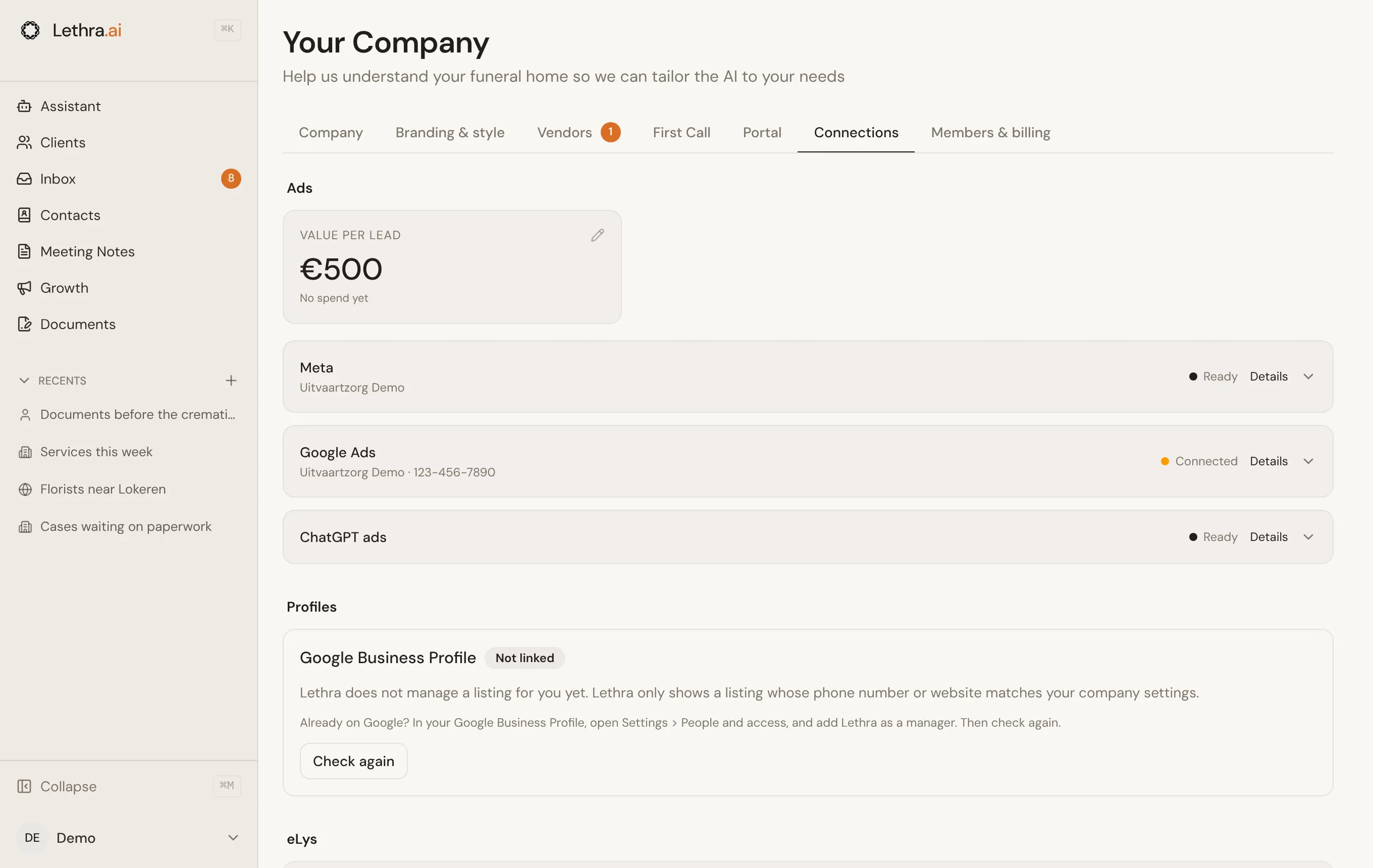
The eLys connection lives under Your Company > Connections, below your ad platforms. It only appears for firms registered in the Flemish Region, since eLys has nothing to connect to elsewhere, and only once Lethra has switched eLys on for your firm. If you do not see it, ask Lethra to turn it on.
Requesting activation
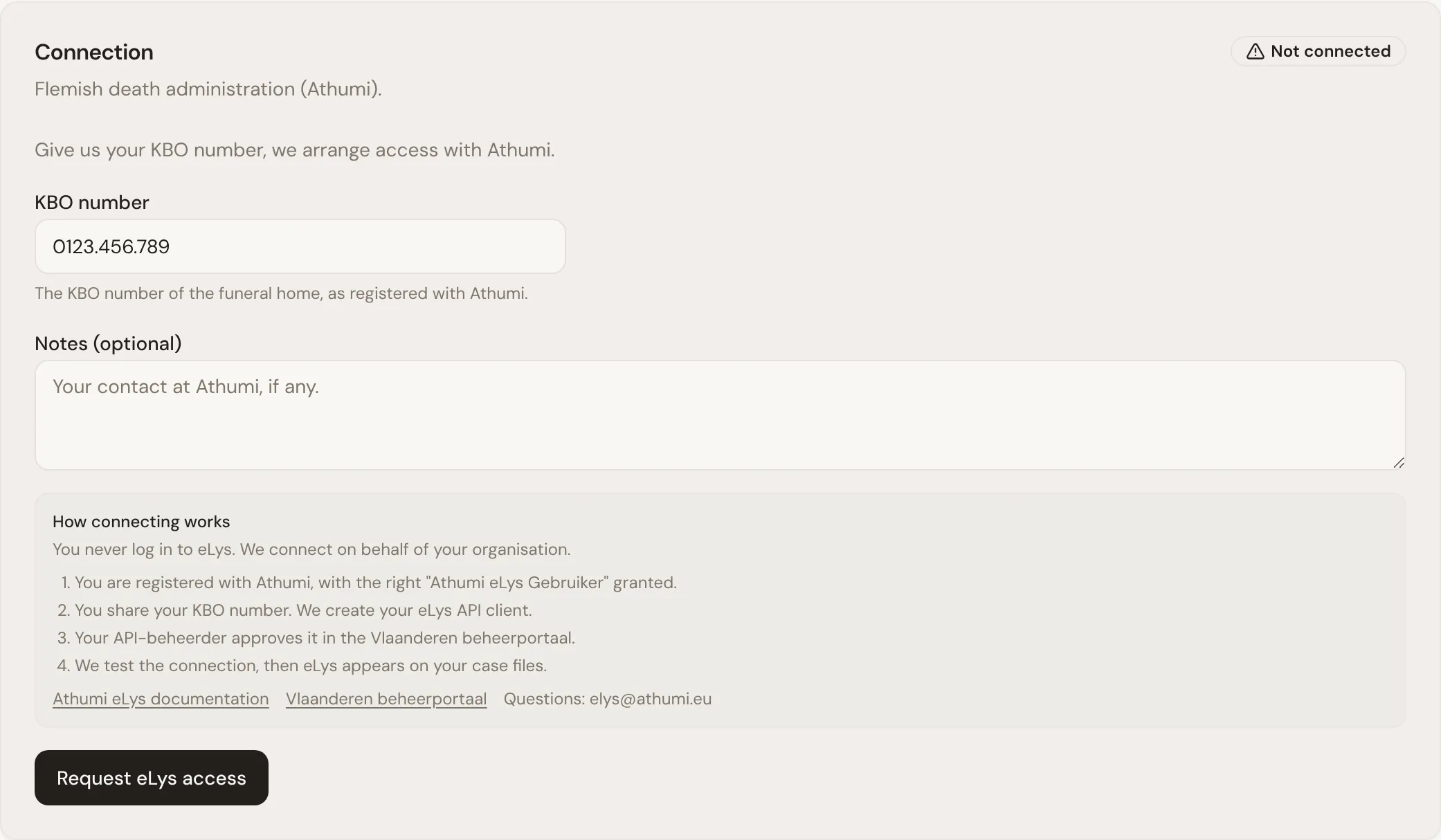
Section titled “Requesting activation”You never log in to eLys yourself. Lethra connects on behalf of your firm, with credentials that Athumi issues. The settings card lists the steps under How connecting works:
- Your firm is registered with Athumi, with the right “Athumi eLys Gebruiker” granted. The card links to Athumi’s documentation if you still need to do this.
- You enter your firm’s KBO number and click Request eLys access. You can add a note, for example your contact at Athumi. Lethra then creates your eLys API client.
- Your API-beheerder approves it in the Vlaanderen beheerportaal. The card links there too.
- Lethra tests the connection, and eLys appears on your case files.
Before you request access the card shows Not connected. While a request is pending it shows Activation requested. Once the credentials are in place it switches to Connected, and the eLys section starts appearing on your cases.
Checking the connection
Section titled “Checking the connection”The settings card shows when the connection was last checked, along with any error from that check. If a case’s eLys section says the firm is not connected, its Set up eLys in settings button brings you back here: either the KBO number still needs to be submitted, or activation is still pending.
Working with a linked case: Linking a dossier.
Was this page helpful?
Thank you. We read every reply and use it to improve the guides.