

Linking a dossier
Once your firm is connected, every case has an eLys section. Before a dossier is linked, it offers search; afterwards, it shows the dossier itself.
Finding a dossier
Section titled “Finding a dossier”eLys accepts three ways of searching, and the section exposes exactly those three:
- National registry number, an exact match and the most reliable way to find the right record. If the case already has a national number, it is used automatically and this tab opens first.
- Dossier number, if you already know it.
- Last name, NIS code of the municipality and date of death, together. The name and date are filled in from the case, and a first name is optional. eLys matches these exactly, so a small spelling difference or a wrong date can mean no result even when the dossier exists.
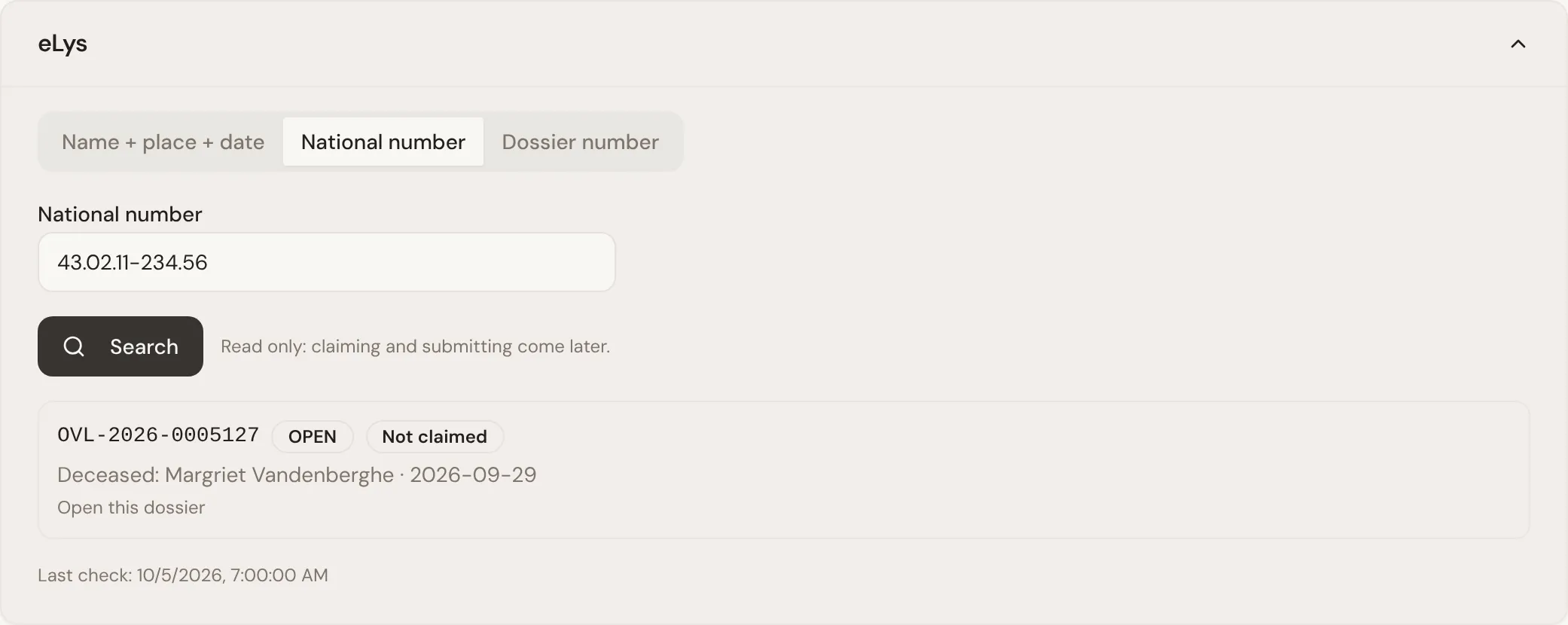
Results show the dossier number, its status, whether it has already been claimed, and whether it has pending actions.
Comparing before you link
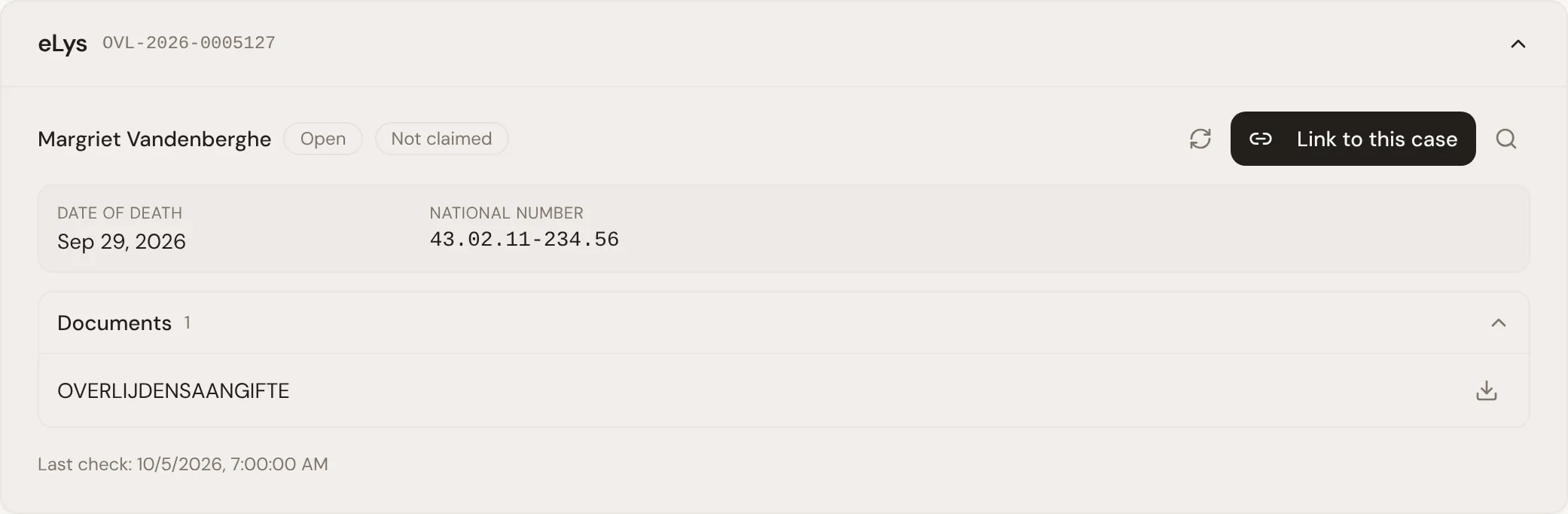
Section titled “Comparing before you link”Opening a result shows the deceased’s name, date of death, the dossier’s current owner and its national registry number, alongside anything the case file already has. This is the moment to notice a mismatch, a different spelling of the name or a date of death that does not agree with the case, before the two are tied together.
Linking and unlinking
Section titled “Linking and unlinking”Linking records which eLys dossier belongs to this case: click Link to this case. Once linked, the national registry number used to find it is saved on the case for next time, and the case’s document import starts.
The agent can also search and link a dossier on its own, but only when it clearly matches the case. If there are several candidates, or the name or date of death differs, it asks your team instead and links nothing.
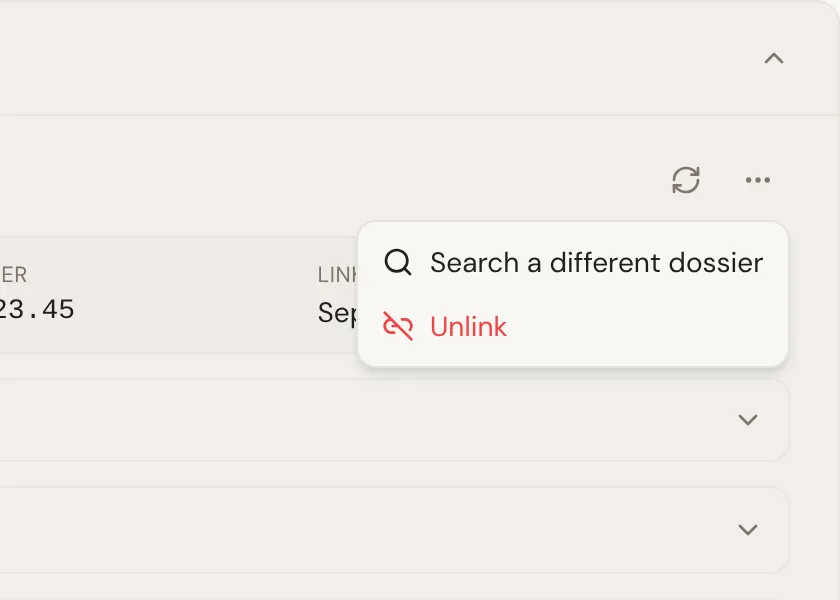
Unlinking removes that association. You find Unlink under More actions (the three dots), next to Search a different dossier. It does not touch anything in eLys itself, the dossier is untouched, only the case no longer points to it. Use this if a dossier was linked to the wrong case.
Document import
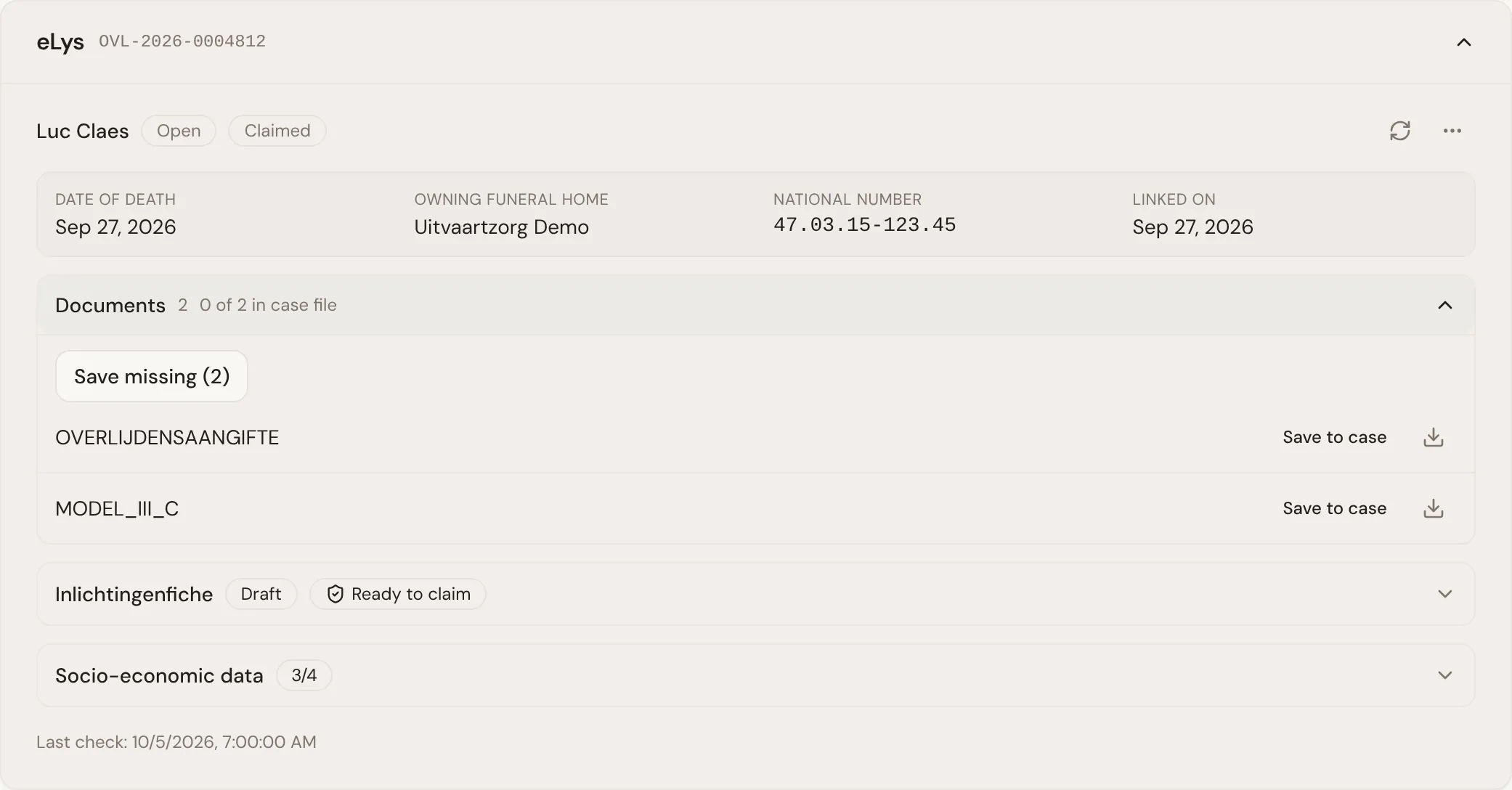
Section titled “Document import”Once a dossier is linked, Lethra imports the documents eLys already holds for it into the case file automatically, so they sit with everything else you have gathered for the family. Each document is imported once: a document already saved for the case is not imported again, and the section shows how many of the dossier’s documents are already saved versus still missing.
You can also trigger the import for whatever is still missing at any time with Save missing, and download a document directly from the dossier without saving it to the case first. A document Athumi has archived is marked Archived and can no longer be downloaded or imported.
How rechecks happen
Section titled “How rechecks happen”The eLys section does not poll continuously in the background. It rechecks a linked dossier when something prompts it to: you reopen or refresh the section, or the agent comes back to the case during one of its own scheduled check-ins, the same way it follows up on anything else it is waiting on. Between those moments, what you see is the last state Lethra fetched, so use the refresh action if you need the current picture right away.
Claiming the dossier: The inlichtingenfiche and socio-economic data.
Was this page helpful?
Thank you. We read every reply and use it to improve the guides.