

Condolences
Every website comes with a condolence register. It appears in the menu and on the homepage as soon as one obituary is published. You manage it on the Obituaries tab in Content.
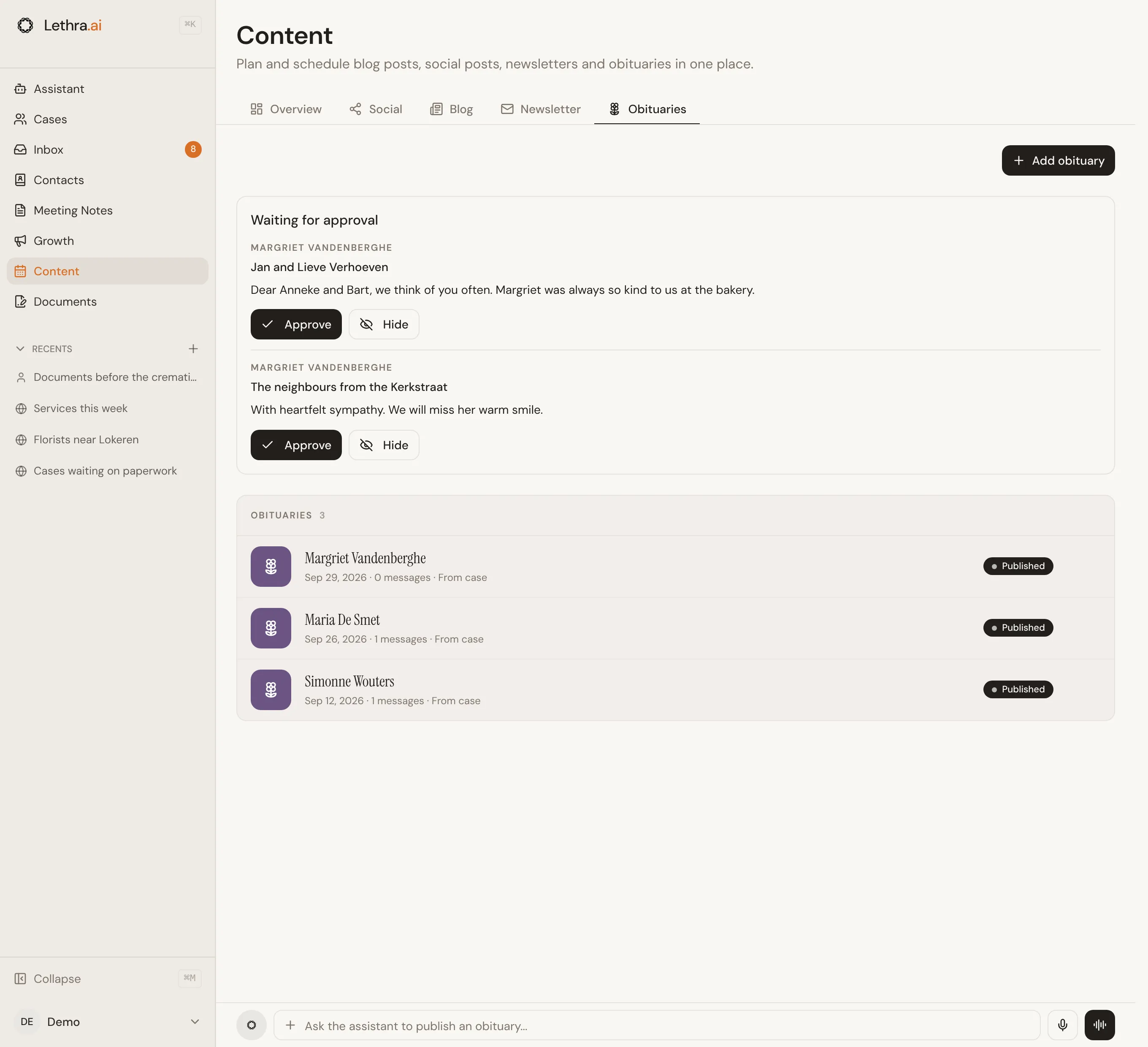
Publishing an obituary
Section titled “Publishing an obituary”- From a case: open the case, then use Publish on website on the overview. Name, dates and place are filled in from the case.
- By hand: on the Obituaries tab, use Add obituary.
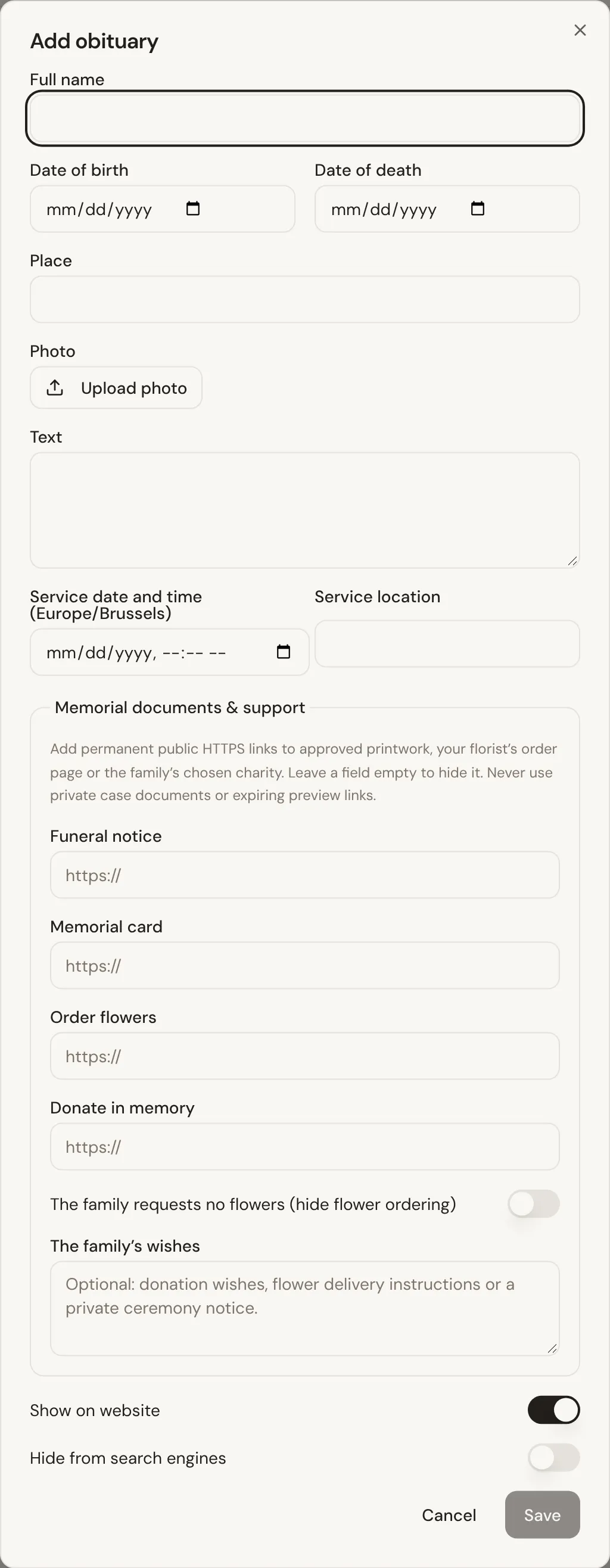
Add a photo, a short text and the service date and place. Without a photo, Lethra can create a calm memorial image instead.
Under memorial documents and support you can add public links to the funeral notice, the memorial card, a florist’s order page or the family’s chosen charity. Leave a field empty to hide it. If the family asks for no flowers, switch flower ordering off, and add any wishes about donations or a private ceremony in plain words.
You can also hide a page from search engines if the family prefers, and take an obituary off the website at any time.
Approving messages
Section titled “Approving messages”Visitors first write their message and can attach photos or videos. Only then do they add their name, optional email and phone, and accept the privacy statement. Nothing goes live until you approve it under Waiting for approval. Each new message also appears in your Inbox as Condolence to review, and approving or hiding it in either place clears it from both. Email addresses are never shown publicly.
The family
Section titled “The family”When the family has Family Portal access, they see every approved message and can download them as a PDF keepsake.
Back to the start of Growth: Growth overview.
Was this page helpful?
Thank you. We read every reply and use it to improve the guides.