

Billing and settings
A group receives one invoice for all its brands. Billing shows what that invoice will look like this month. Settings holds the details printed on it.
The monthly statement
Section titled “The monthly statement”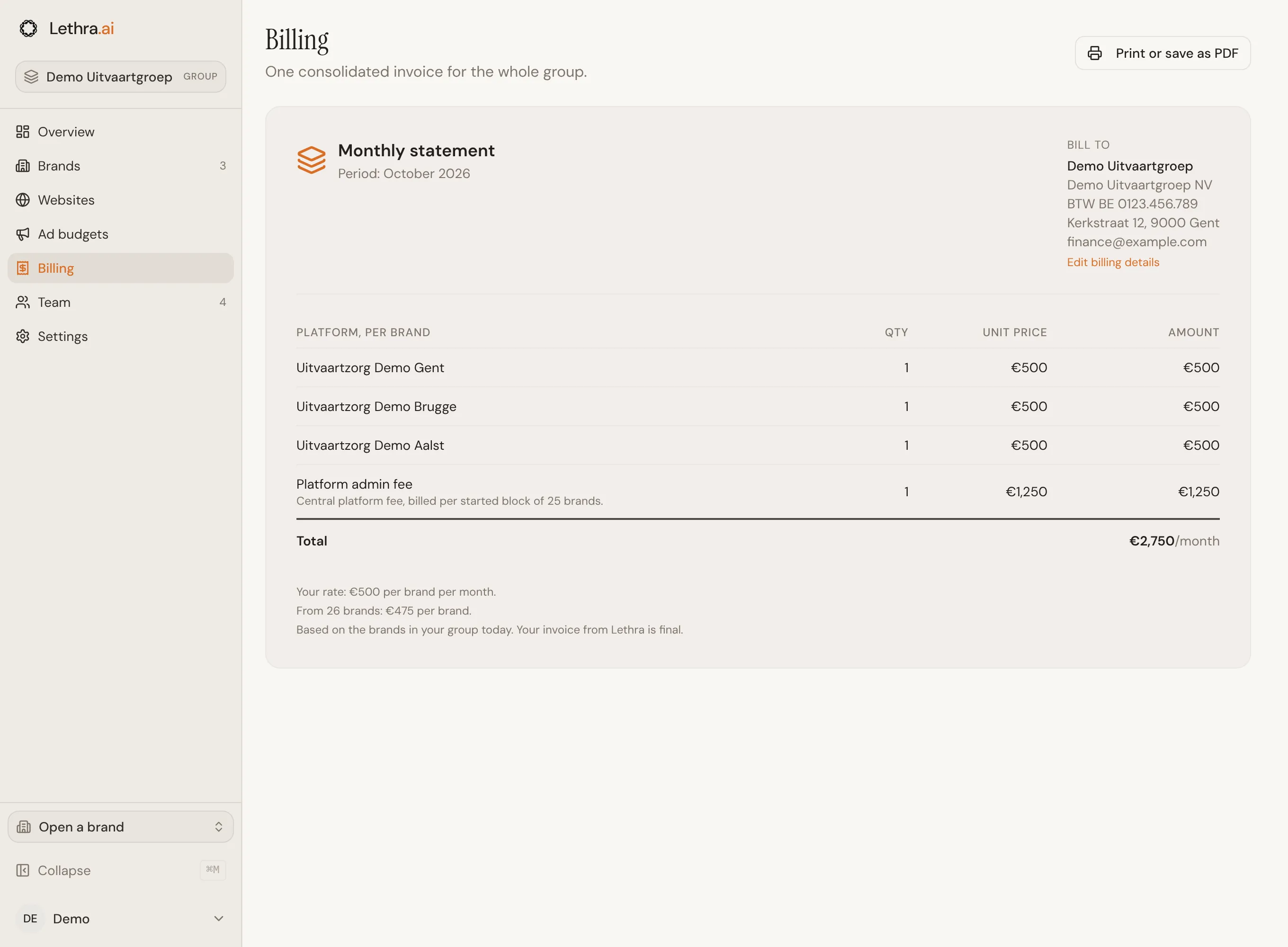
The statement has:
- One line per brand, at your rate per brand per month.
- Platform admin fee: a central fee billed per started block of 25 brands. A group with 1 to 25 brands pays it once, a group with 26 to 50 brands twice, and so on.
- Total per month.
Below the total, the statement shows your rate per brand. The rate goes down as the group grows. When a lower rate applies from a certain number of brands, the statement says from how many brands and at what rate.
The statement is based on the brands in your group today. Your invoice from Lethra is final.
Use Print or save as PDF to keep a copy. The sidebar and buttons are left out of the printed page.
Billing details
Section titled “Billing details”Bill to, at the top right of the statement, shows the group name, billing address and billing email. When the email or the address is missing, the statement says so. Add billing details or Edit billing details takes you to Settings.
Group settings
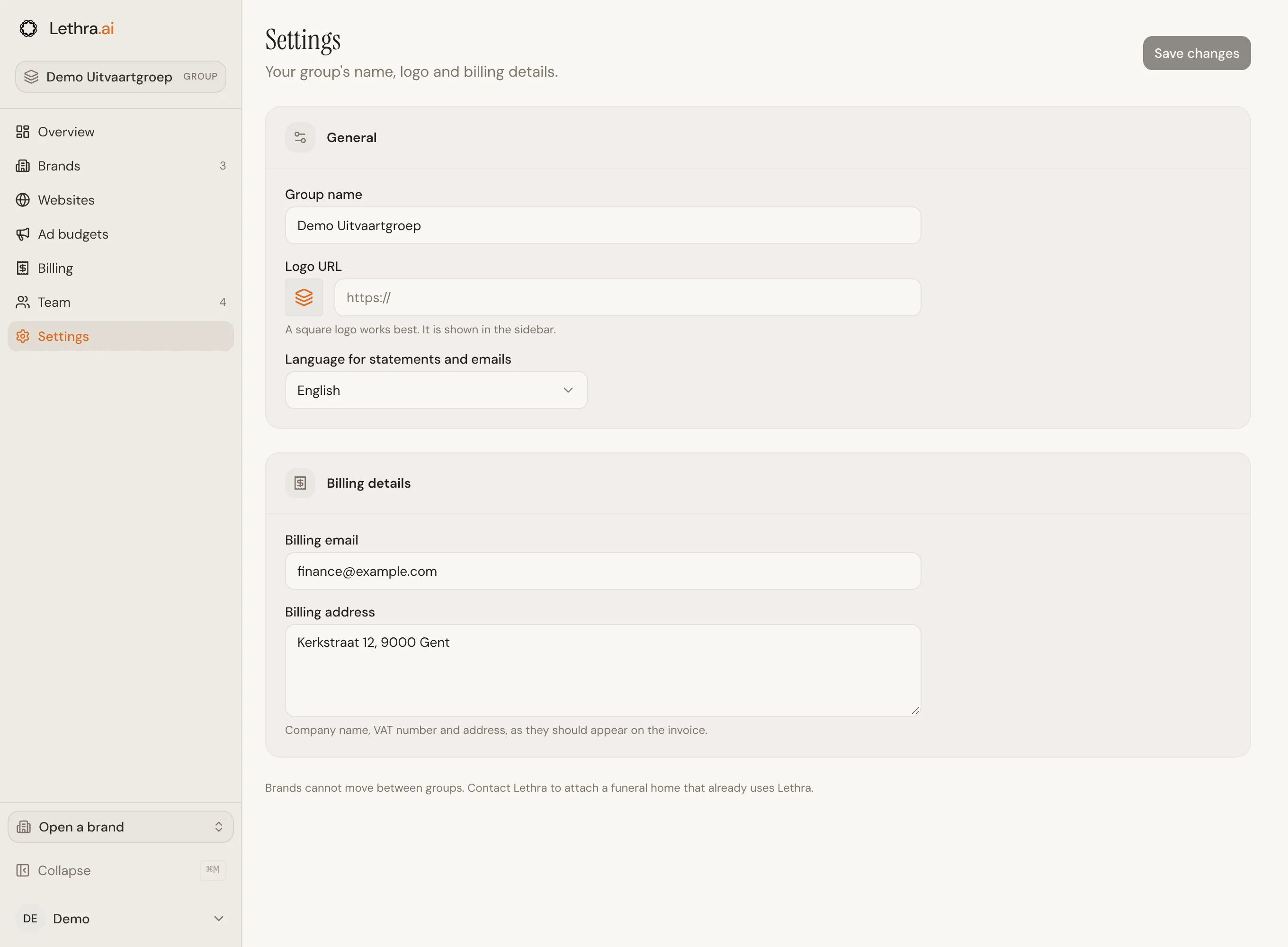
Section titled “Group settings”Under Settings, any group member can change:
- Group name: shown in the sidebar, on the overview and on the statement.
- Logo URL: a link to the group’s logo. A square logo works best. It is shown in the sidebar and on the statement.
- Language for statements and emails: English, French or Dutch. A new brand also starts in this language.
- Billing email: where the invoice goes.
- Billing address: the company name, VAT number and address, exactly as they should appear on the invoice.
Click Save changes to keep them.
Settings for one funeral home, such as its own name, logo or opening hours, are changed inside that brand. See Company settings.
Give colleagues at head office access: The group team.
Was this page helpful?
Thank you. We read every reply and use it to improve the guides.