

Creating your first case
A case is one record for one deceased person, and everything else hangs off it: the family, the services, the documents, the email. Getting the first few fields right takes two minutes and saves a great deal later, because almost everything Lethra does automatically is driven by what is on this record.
Open Cases and click New case.
The fields
Section titled “The fields”Only two fields are required. Everything else can be filled in as you learn it, and most of it you will not know during the first phone call.
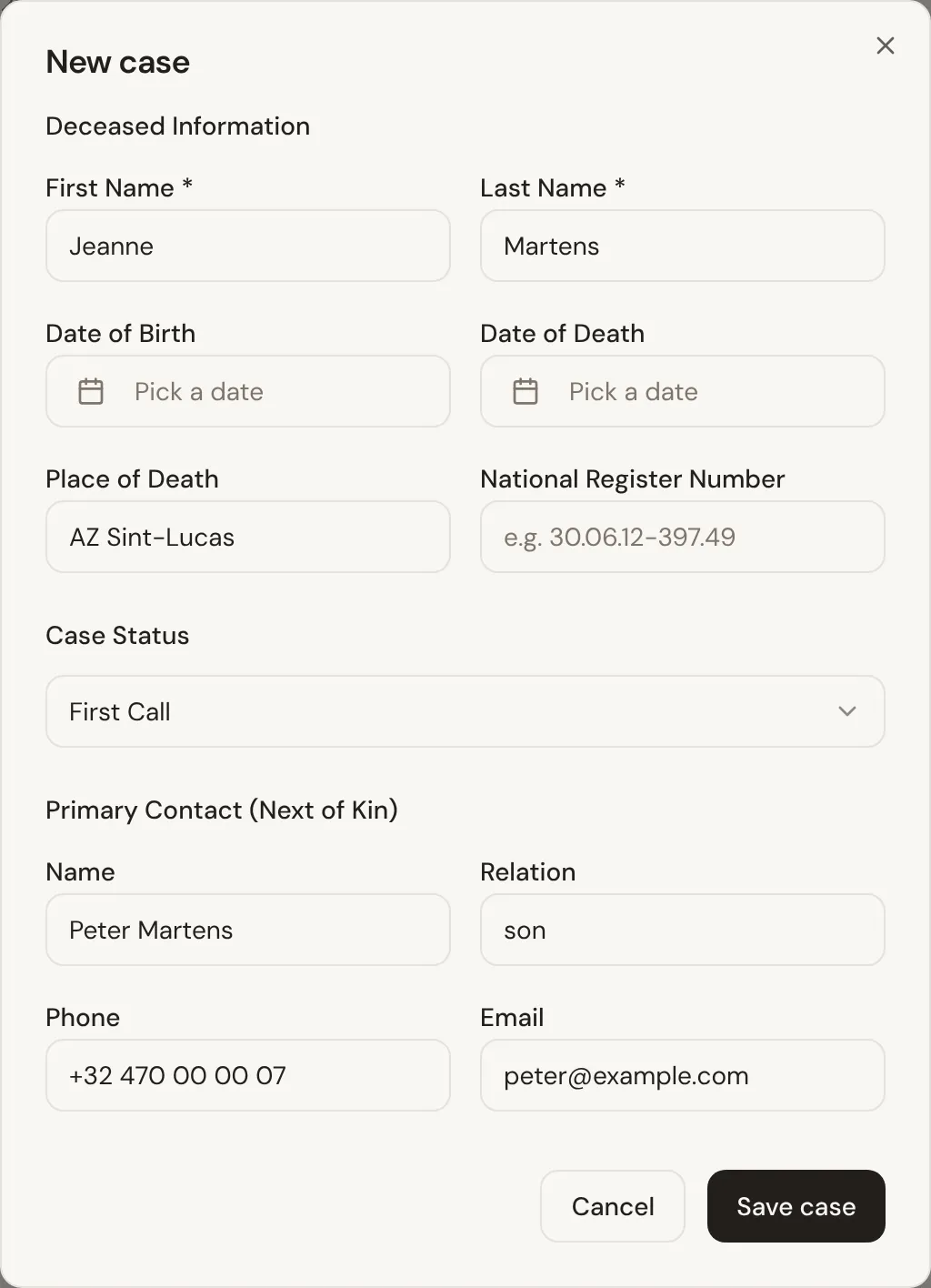
Deceased Information
Section titled “Deceased Information”| Field | Required | Notes |
|---|---|---|
| First Name | Yes | |
| Last Name | Yes | |
| Date of Birth | No | |
| Date of Death | No | Drives deadlines, so add it as soon as you know it. |
| Place of Death | No | The hospital, home or care facility. |
| National Register Number | No | The national identification number. Needed for most official paperwork. |
Case Status
Section titled “Case Status”Where the case stands. It defaults to First Call, which is almost always right for a new record. The full list of stages and what each one means is in What Lethra is.
Primary Contact (Next of Kin)
Section titled “Primary Contact (Next of Kin)”The one person you will actually deal with. Name, their relation to the deceased (spouse, son, daughter), phone and email.
The email address matters more than the rest. It is the address the family portal invite goes to, and the address the agent writes to. A case with no contact email is a case where Lethra cannot help you with correspondence.
You are not limited to one person. Once the case exists you can add more contacts and mark any one of them as primary, which is worth doing when a family has two siblings who both want to be kept informed.
What the agent needs
Section titled “What the agent needs”The agent works from what is on the record. It is not guessing, and it will not invent facts. In practice it becomes useful once it has:
- The contact’s name and email. Without these it cannot write to anyone.
- The date of death. Most deadlines are counted from it.
- The service type, once decided, so it knows what it is arranging around.
You do not have to fill these in before you start. The agent simply does more as the record fills out.
The seven tabs
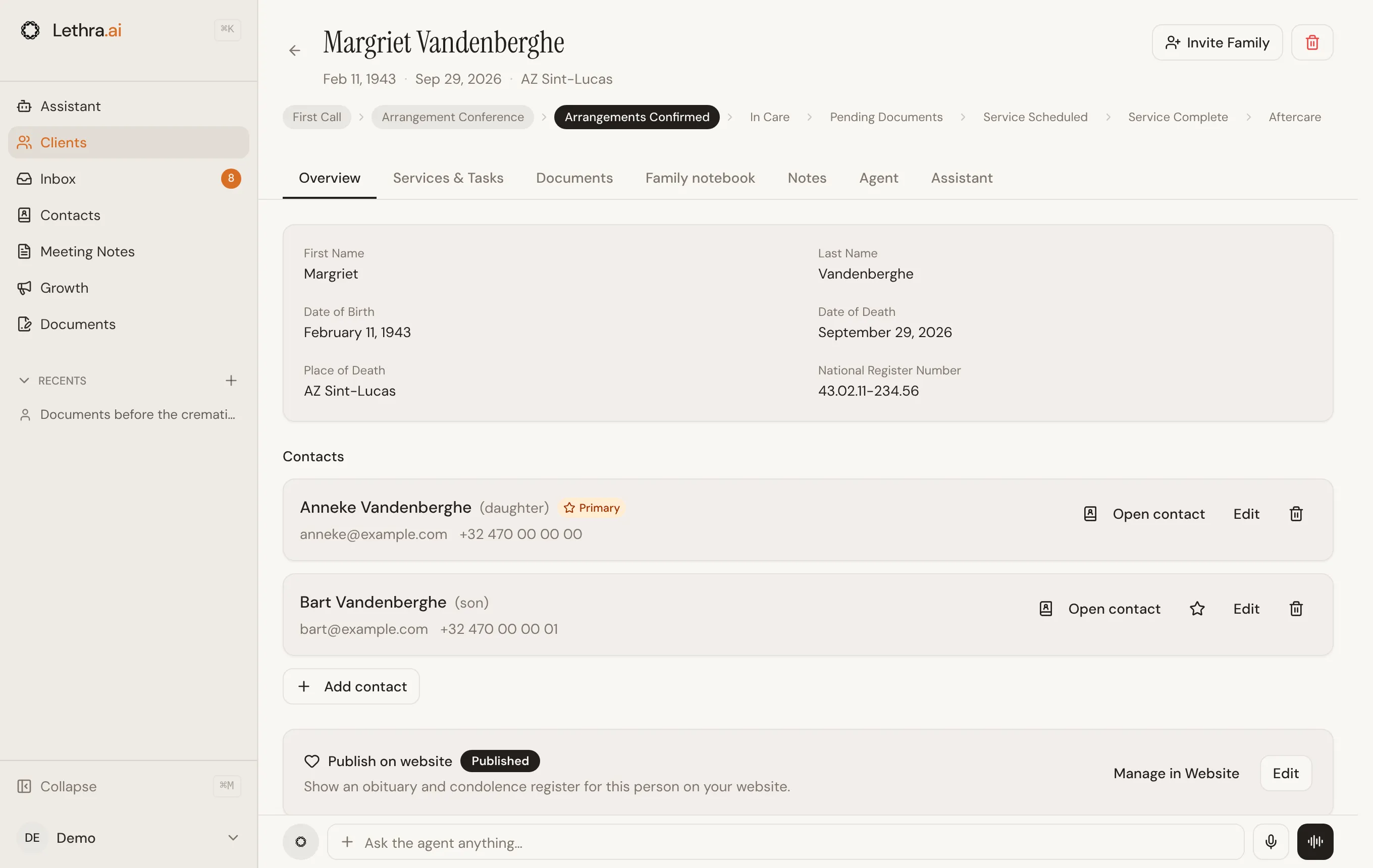
Section titled “The seven tabs”Once a case is open, its work is split across tabs.
| Tab | What lives there |
|---|---|
| Overview | The core record: the deceased’s details, the contacts, the status. |
| Services & Tasks | What is being arranged and everything still to do. |
| Documents | Files gathered and generated for this case. |
| Family notebook | What the family has shared in the Family Portal, the documents you asked them for, and who is in the portal. |
| Notes | Internal notes, including from meetings. |
| Agent | What the agent has noticed, and what it suggests next. |
| Assistant | Ask questions about this specific case. Appears once the case has its own agent mailbox. |
Most of your day is the Overview and Services & Tasks tabs.
The row of stages across the top is the status. Clicking one moves the case straight there, which is quicker than opening the form.
Services
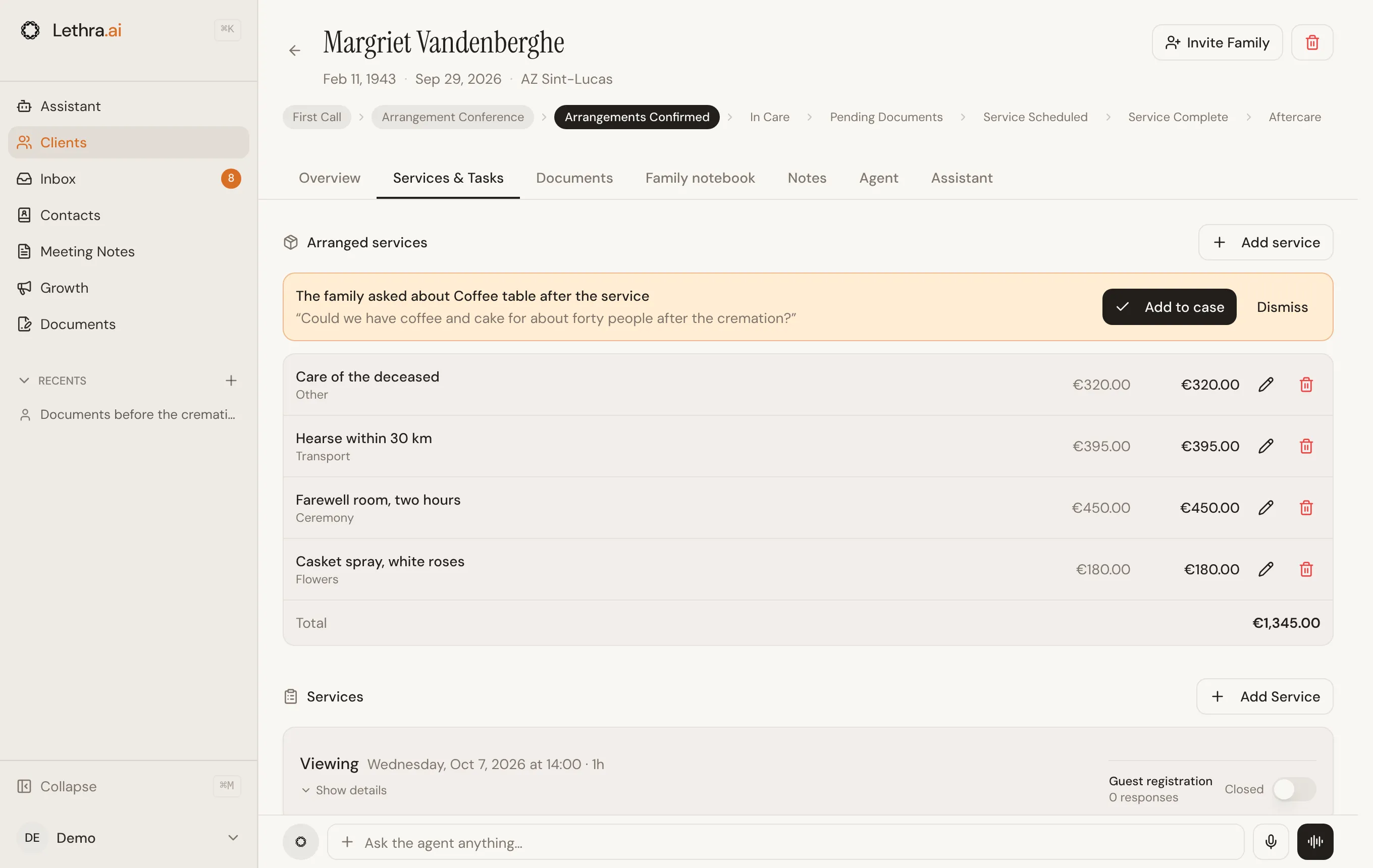
Section titled “Services”A service is a thing that happens at a time and a place: Burial, Cremation, Direct Cremation, Memorial Service, Graveside Service, Viewing, Celebration of Life, or Other. A case often has more than one, such as a viewing on the Thursday and a cremation on the Friday.
The family sees every service in their portal, with the date, time and place you fill in, so adding them properly is what saves you the “what time is it again?” phone calls.
Tasks live on the same tab, under the services, with the open ones first and the finished ones collapsed underneath.
Editing later
Section titled “Editing later”Nearly every field on the Overview tab can be edited in place: click it, change it, and it saves. You do not need to open a separate edit screen, and there is no save button to hunt for.
Now let the agent pick up the admin: Working with the agent.
Was this page helpful?
Thank you. We read every reply and use it to improve the guides.