

What Lethra is
Lethra is one workspace for the whole of a funeral case: the family, the paperwork, the schedule, and the dozens of small follow-ups in between. Instead of a case living across a notebook, a shared mailbox and three folders on a desktop, it lives in one file that everyone in your firm can see.
This page is the map. It explains the shape of a case, names every part of the platform, and points you at the guide for each one.
The shape of a case
Section titled “The shape of a case”Almost every case follows the same path, whatever the family chooses.
- A call comes in. Often out of hours. Lethra can answer, take the essentials and open a record so nothing is lost before you get to it.
- You open a case. One record for the deceased, with the family contacts, the key dates and the service you are arranging.
- The admin starts. Documents to gather, declarations to file, suppliers to confirm. Lethra keeps this as a list of real tasks rather than a memory exercise.
- The family talks to you. Mostly by email. Every message sits on the case, so anyone picking it up sees the full conversation.
- The service is scheduled. Viewing, ceremony, burial or cremation, with the people and places attached.
- The file closes. Everything stays searchable, so a question two years later takes a minute instead of an afternoon.
The nine stages
Section titled “The nine stages”Every case carries a status, which is how you and your colleagues know where it stands at a glance. These are the stages a case moves through.

| Stage | What it means |
|---|---|
| First Call | The death has been reported to you. Often only a name and a phone number so far. |
| Arrangement Conference | You are sitting down with the family to decide what happens. |
| Arrangements Confirmed | The family has decided. The shape of the funeral is now fixed. |
| In Care | The deceased is in your care. |
| Pending Documents | You are waiting on paperwork before something else can move. |
| Service Scheduled | Date, time and place are set. |
| Service Complete | The funeral has taken place. |
| Aftercare | The service is done, but the file is not. Ashes, follow-up. |
| Closed | Everything is finished. The file stays searchable. |
You set the status by hand, and you can move backwards as easily as forwards. Nothing is locked. Your firm’s list of stages is part of your company settings, so if your own process uses different names, the stages can follow it.
The parts of the platform
Section titled “The parts of the platform”Down the left of the screen are seven places. That is the whole navigation, and it does not change from firm to firm.
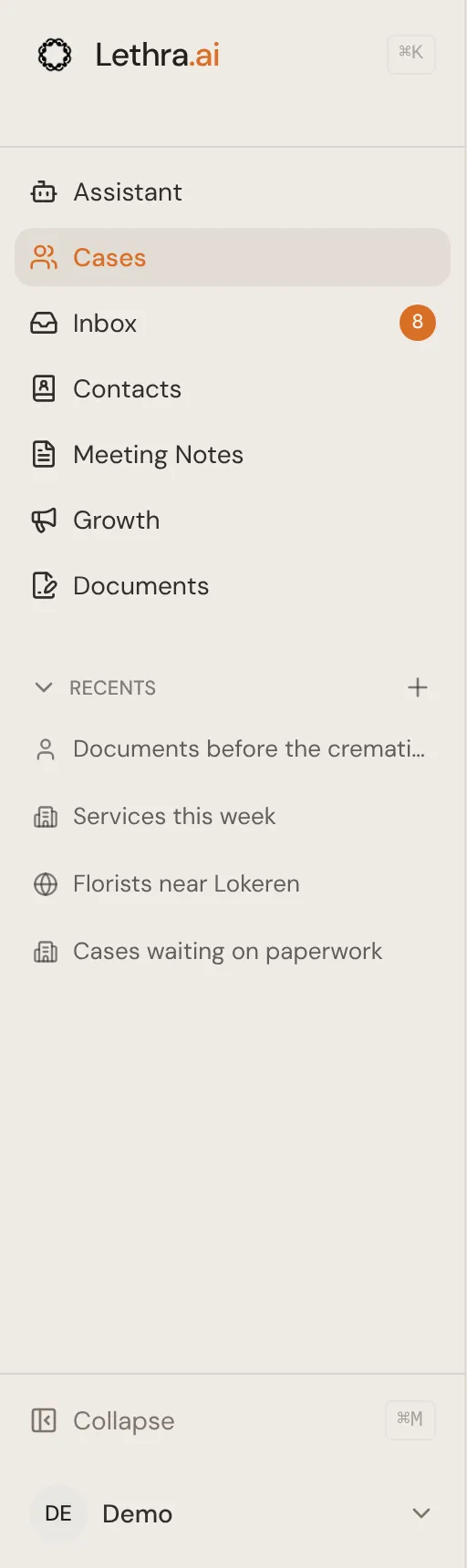
- Assistant is where you land when you sign in. Lethra’s chat, for questions about a case or about your firm.
- Cases is where your cases live. One record per deceased person. This is where you will spend most of your time.
- Inbox is everything that needs a person: drafts to approve, questions from the agent, families to call back. The conversations themselves live on each case.
- Contacts is one list of everyone your funeral home deals with: families, people planning ahead, enquiries and newsletter subscribers.
- Meeting Notes keeps notes from arrangement conferences and other meetings.
- Growth covers the commercial side: the people who have been in touch, where they came from, and the campaigns you are running.
- Documents holds your templates and the files generated from them.
Underneath sit Your Company, for the firm’s settings and your team, and Your Account, for your sign-in email and your own connections, such as your calendar and your Gmail.
Phone calls, leads and ad campaigns all exist, but they are reached from inside Growth and from the cases they belong to rather than from their own place in the sidebar.
Who sees what
Section titled “Who sees what”There are two completely separate ways into Lethra.
Your team signs in at the staff sign-in and sees everything above. Colleagues join by invitation.
Families sign in to the Family Portal, which is a different door entirely. A family sees only their own case, and only the parts you have chosen to share. They never see your inbox, your other cases, your internal notes or your numbers. See Sharing with the family.
Where to go next
Section titled “Where to go next”If you are new, read these in order.
Was this page helpful?
Thank you. We read every reply and use it to improve the guides.