

Group contacts
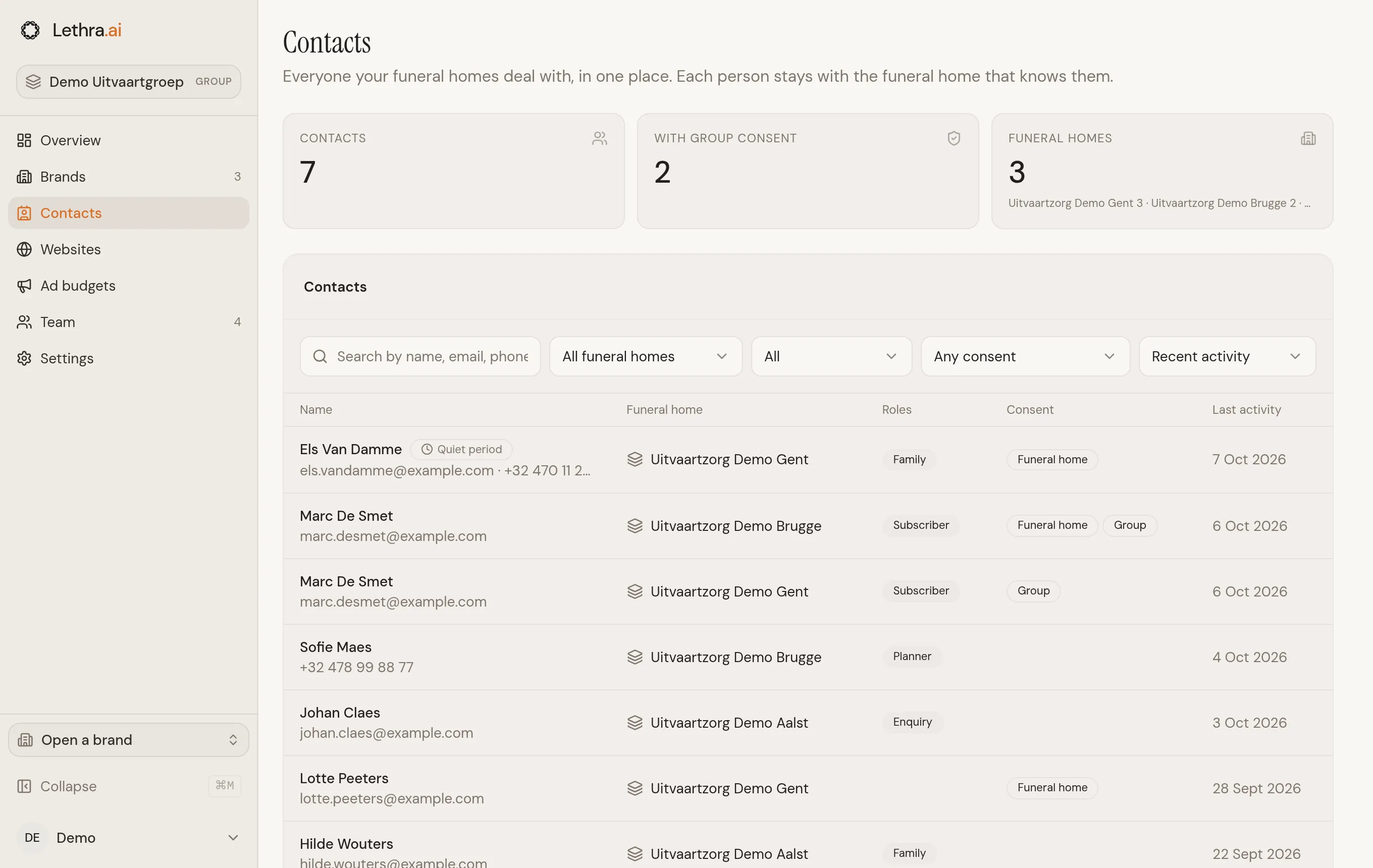
Contacts in the group workspace lists the people known to every funeral home in your group: families, people planning ahead, enquiries, newsletter subscribers and the wider community. Each person stays with the funeral home that knows them. Someone who dealt with two of your funeral homes appears twice, once for each.
Finding someone
Section titled “Finding someone”Search by name, email address, phone number or the name of a case. Narrow the list by funeral home, by role or by consent, and sort it by recent activity, name or date added. The list shows 50 people at a time; click Show more for the next ones.
Quiet period marks someone whose family had a death in the last few weeks, so nobody sends them news by mistake.
Opening a contact
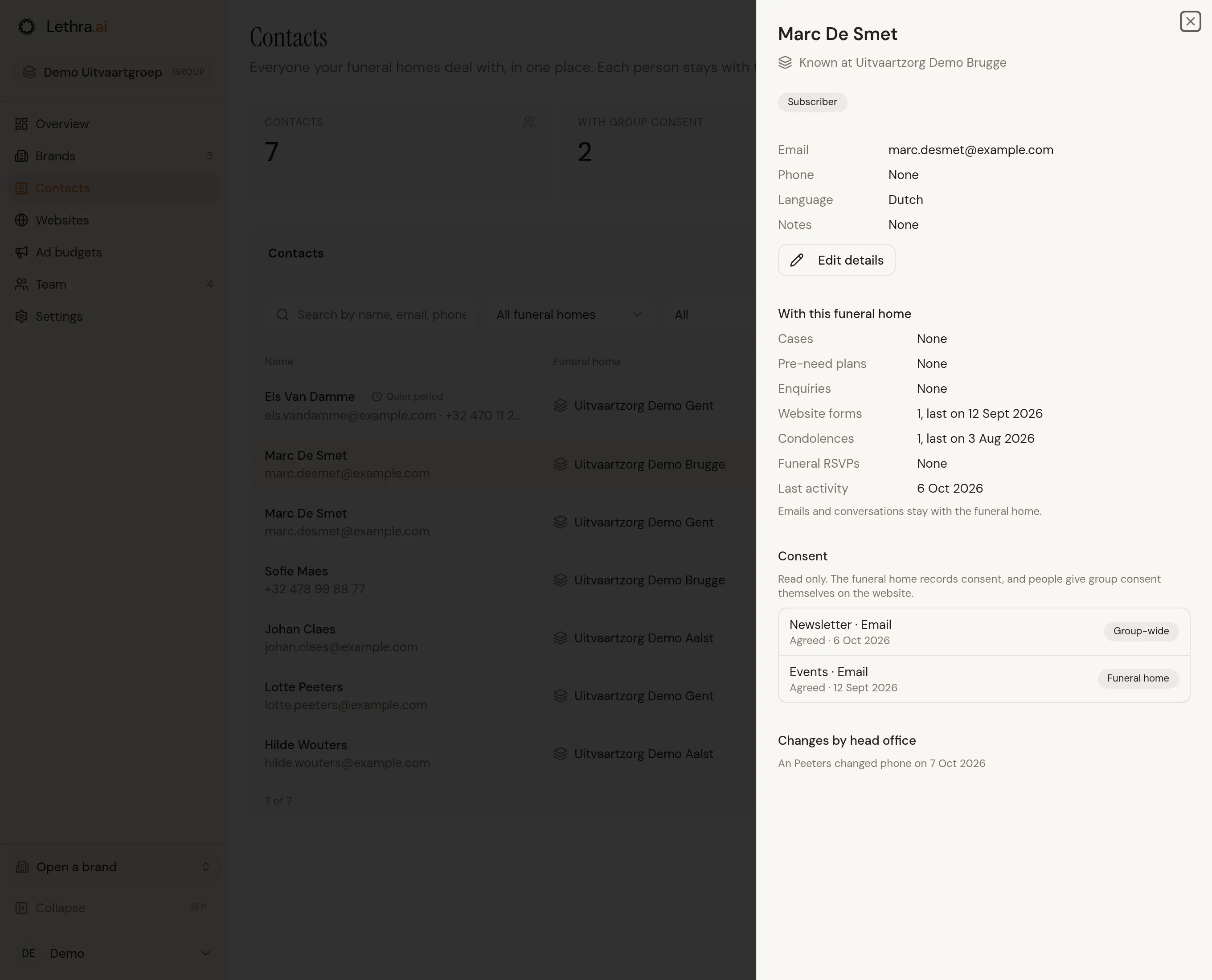
Section titled “Opening a contact”Click a row to open the contact on the right. You see:
- their details: name, email, phone, language and notes;
- what links them to that funeral home: cases and their relation to the deceased, pre-need plans, enquiries, website forms, condolences and funeral RSVPs, each with how many and when the last one was;
- their consent, read only;
- the changes head office made, who made them and when.
Emails and conversations are not shown here. They stay with the funeral home. If you also have access to that funeral home, Open in takes you to the full contact page there.
Correcting details
Section titled “Correcting details”Click Edit details to correct a name, email address, phone number, language or notes, then Save changes. The funeral home sees the change straight away, and it is listed under Changes by head office.
If another contact at the same funeral home already uses that email address or phone number, the change is refused. Merge the two people inside the funeral home instead.
Lists, sending, merging, erasing and recording consent stay with each funeral home. They are not available from the group.
Consent
Section titled “Consent”Being in the list never means you may send someone news or invitations. There are two kinds of consent:
- Funeral home consent is given to one funeral home, on its website or recorded by its staff. It only counts for that funeral home.
- Group consent covers every funeral home in the group that knows the same email address or phone number.
On the website of a funeral home that belongs to a group, people cannot sign up to one without the other. The newsletter sign-up text names both, for example “from us and from Sereni and its funeral homes”, and subscribing gives funeral home consent and group consent together. On a website form, every consent box the person ticks covers the funeral home and the group, and a note under the form says so. There is no separate box to opt in or out of the group.
Consent given to one funeral home before it joined the group never becomes group consent. When someone unsubscribes from any funeral home’s email, their group consent for that channel is withdrawn too, everywhere.
Was this page helpful?
Thank you. We read every reply and use it to improve the guides.